Skip to forum
Slow computer? CPU...
 
Notifications
Clear all

[Closed] Slow computer? CPU at 100%? Videos slow? Try this..

16 Posts
11 Users
0 Reactions
8,506 Views
gavinonymous
Joined: 18.12.2008

Was having a hell of a time figuring out why flash videos played so slowly, jumpy - even when fully loaded on my laptop. Also other software was extremely slow.

I tried everything - upgraded all drivers etc.. searched for any malware/virii etc.. nothing worked. I then checked the sensor of my CPU - it said 79degrees C! damn I could have been slow cooking dinner on my PC while playing poker..

I opened up my laptop and took out the fan. Next to the fan was a thick layer of dust impeding airflow. I cleaned it out with a q-tip with ammonia and the difference was night and day.

Now the laptop is quiet, a cool 50degreesC and runs very smooth. Even ICM trainer runs smoothly.

I assume the same thing goes for desktop computers.. who would have thought that a hardware issue so mundane would cause so much problem.

Hope this helps


15 replies

where do you see the Temp of your CPU?


gavinonymous
Joined: 18.12.2008

Originally posted by Chopsticks43
where do you see the Temp of your CPU?

download Lavalys Everest Ultimate Edition - now called AIDA64 (30 day demo) install, run and browse to Computer>Sensor.

http://www.lavalys.com/


Cardbender
Joined: 03.03.2008

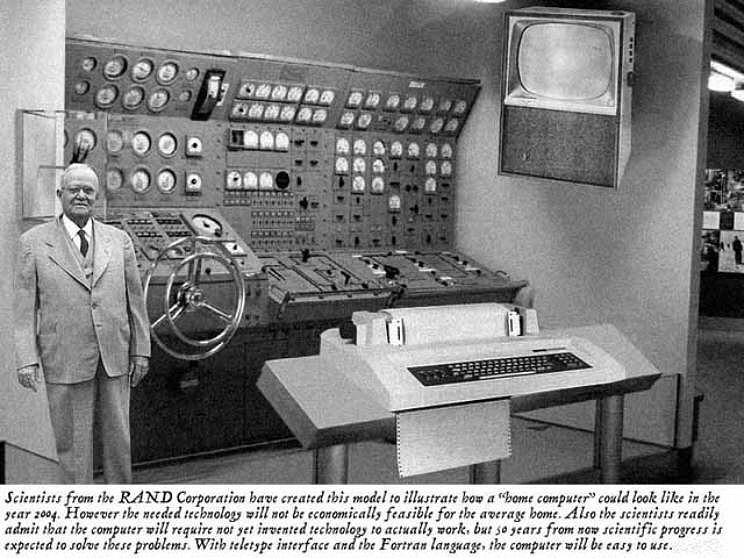
I just got one of these RAND systems I suggest you try it they work great!


That was 2004 , things have moved on from there!!


Yoghi
Joined: 10.09.2007

Originally posted by gavinonymous

Originally posted by Chopsticks43
where do you see the Temp of your CPU?

download Lavalys Everest Ultimate Edition - now called AIDA64 (30 day demo) install, run and browse to Computer>Sensor.

http://www.lavalys.com/

Or just google speedfan and download that


Kimber88
Joined: 08.07.2008

Thanks for the tip. Probably have to clean my own laptop too.


OZSA
Joined: 18.05.2009

take care with speedfan, there are some early Intel Pentium 4 models (2.5-3ghz) that simply die if u install speedfan, (i know coz mine died too) and there's no way u can start ur pc, except u put the hard in another pc and uninstall the speedfan from there. this is because it adds a fucking .sys file to the startup which u cant disable even in safemode or wherever u go. so first read what cpu's it support.. but on a laptop if this happends, ur in a deeper shit.

but btw, if anyone has problems with laptop cooling, u should buy a cooling pad, smt like this
they are cooling it down enough.. and its so cheap, worth the price, like 20-30$


randomdonk
Joined: 02.08.2009

Originally posted by Yoghi

Originally posted by gavinonymous

Originally posted by Chopsticks43
where do you see the Temp of your CPU?

download Lavalys Everest Ultimate Edition - now called AIDA64 (30 day demo) install, run and browse to Computer>Sensor.

http://www.lavalys.com/

Or just google speedfan and download that

or just dont download anything and look it up on the bios


Yoghi
Joined: 10.09.2007

Originally posted by randomdonk

Originally posted by Yoghi

Originally posted by gavinonymous

Originally posted by Chopsticks43
where do you see the Temp of your CPU?

download Lavalys Everest Ultimate Edition - now called AIDA64 (30 day demo) install, run and browse to Computer>Sensor.

http://www.lavalys.com/

Or just google speedfan and download that

or just dont download anything and look it up on the bios

Or just open your laptop and use your finger as a thermometer


OZSA
Joined: 18.05.2009

usually the back of the screen or the bottom of the laptop where u have the hard and mainboard will be pretty hot, thats why this cooling pad helps alot to keep it at or under 50 celsius.


Does it really help to clean out the fan? I tried taking my laptop apart but gave up since I need like 3 different screw drivers!!

But I have a cooling pad and it did make a huge difference, but still, playing any videos off the web like youtube etc, never works, its so laggy and frustrating.

i also heard that if your a smoker and smoke alot by your computer, it creates more dust on the fans probably because of the ash elements in the air.


gavinonymous
Joined: 18.12.2008

yeh it helped, really a lot. night and day for me. don't just clean the fan, but the air intake and outtake - if your laptop is more than a couple of years old there could be a thick layer of dust. if you can, also clean out the CPU heat sink - depending on your model.


Originally posted by theExpat
Does it really help to clean out the fan? I tried taking my laptop apart but gave up since I need like 3 different screw drivers!!

But I have a cooling pad and it did make a huge difference, but still, playing any videos off the web like youtube etc, never works, its so laggy and frustrating.

i also heard that if your a smoker and smoke alot by your computer, it creates more dust on the fans probably because of the ash elements in the air.

Just get one of those compressed air containers. I can confirm the smoking thing, but then I again I used to hold a piece of self lighting charcoal in front of my tower fan to speed up the lighting process. With compressed air, it's no problem :f_love:


luitzen
Joined: 03.04.2009

That steering wheel is awesome. Now you can move your house everywhere:P

Anyway, I've had the same problem multiple times. Opened the computer and removed all the dust. Between the processor and the cooling system there's some paste to optimize heat transfer between those parts. Normally it's fluid (it can stay fluid for over ten years in hot CPUs), but in my laptop it was a cookie, so we also had to replace that before I could use my laptop again. Without the cooling system attached, processors of certain brands can catch fire within a couple of seconds.


Jaime001254
Joined: 02.07.2008

you can check your temps with this little free but useful program

http://www.cpuid.com/softwares/hwmonitor.html

also you can change your thermal paste in gpu/cpu, it can help if your heatsink was poorly seated or the thermal paste is too old