




I've tried the recommendations fromt he HM2 forums but to no avail, it just keeps showing session stats. This would be especially useful in the replayer.
Any help greatly appreciated as always.
Mal.
I've tried the recommendations fromt he HM2 forums but to no avail, it just keeps showing session stats. This would be especially useful in the replayer.
Any help greatly appreciated as always.
Mal.
In the Hud Options (the gear symbol in the Hud) set "Max replayer hands" to 0
In the replayer options (bottom left) disable "Use session stats for Hero" and try changing "Use stats up to day of hand"
Hi netsrak
I am still a bit confused 
1. On an open table, clicking the gear symbol brings up this menu box
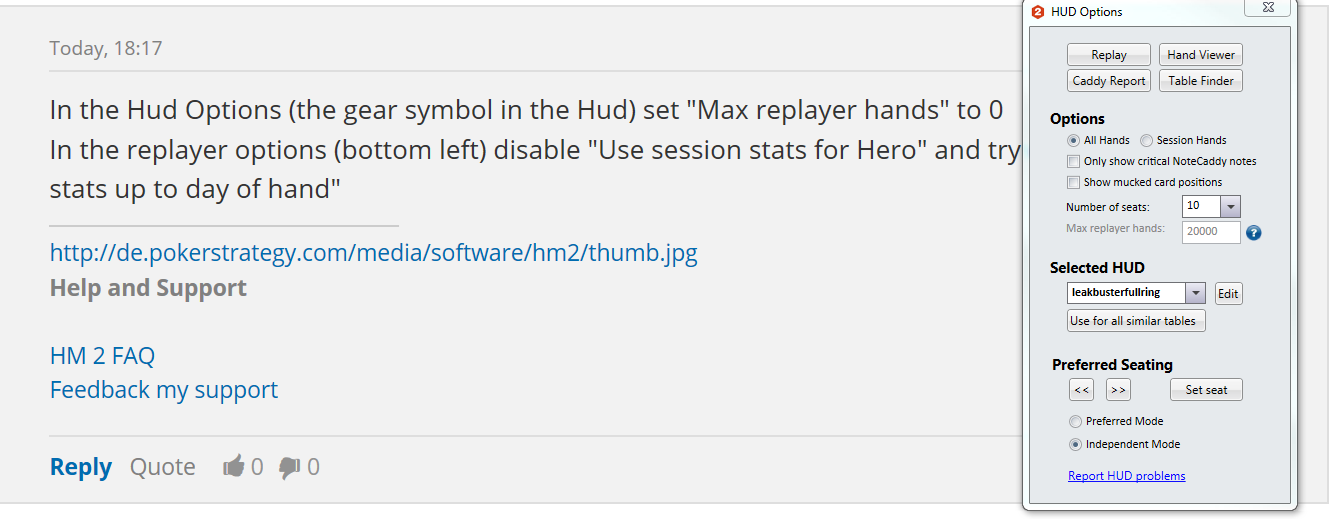
The "(max replayer hands)" box is greyed out and a question mark appears.
2. The setting can be changed from the OPTIONS menu within the replayer

3. Other settings from the tab HUD settings in the main menu

Following your suggestions for settings, is very useful for the replayer.
My "diito" for this thread was seeking an answer to change the HUD stats displayed for the hero Within a game to display various filters such as all, session, date or count filters.
The default seems to be session stats. Is is possible to change the game hud for the Hero
I'm not sure why the "Max Replayer hands" option is greyed out in your Hud options. You may try it in another hud?
Anyway it is not possible to show lifetime stats for hero in the hud at the table.
HM is designed to only show your session stats at that table as we felt it was a lot more useful for a couple of reasons:
1) A lot of people will have a huge amount of stats on themselves so it avoids performance issues having to crunch numbers to show these for yourself
2) A lot of regulars are very aware of their own stats and when you have a lot of stats accumulated it would take a huge swing to for the stat values to change with bigger samples
3) Its much more beneficial to see your session stats to get an idea of how aggressive or passive people will see you since you sat at that table. (again even if its against a reg you'll know yourself your overall image or at least you should)
4) You can easily check your overall stats in the reports section to remind yourself of any stats but again most people know their stats pretty well.


