Skip to forum
Notifications
Clear all

Lets talk about monitors (hardware)

18 Posts
6 Users
0 Reactions
3,515 Views
AlvisR
Joined: 27.02.2009

Lately i am facing with a slight problem when i am grinding for hours of poker. My eyes getting tired and i can not play my best because of my LED LG W2486L model 24inch monitor. This LED thing is so bright and rich in colors that i can not sit for long time too close to the screen. Ofcourse it is ace to watch movies etc. But not for browsing internet and working with pc for long time.

So i would like to know what kind of monitors do you use lads. Is it lcd or older or led or ips. I am curious about ips. Has anyone got it? How big screens does use true grinder?

Post your chosen ones in here please and lets make a review of most suitable screens for poker players.


Reply
Quote
17 replies
Super Moderator
VorpalF2F
Joined: 02.09.2010

Hi, AlvisR

If brightness is the problem, why not just turn it down?

Also, there is software that automatically adjusts the monitor colour to match the time of day.

I had it running for a while here in the monkey house.

Search for f.lux and read the reviews etc to decide if you want to try it.

I'm using a pair of Samsung 22in LCD displays, so I have no direct experience with the LED brightness topic.

Best of luck,
--VS


Reply
Quote
AlvisR
Joined: 27.02.2009

Believe it or not brightness is set to 0 in scale from 0 to 100. :(


Reply
Quote

I have 2no. 24" HP Compaq LA2405x 1920x1200, these are pretty vivid and have a great resolution and I find that they don't hurt my eyes or head but I use 2no. hanns-g 21" monitors at work with a lesser resolution and lesser picture quality and find if I don't have a break every 3 hours I will get a headache or eye strain...I am no expert on this matter but maybe it is the resolution or maybe it's your environment, if you are playing in a room with a lot of natural light then your eyes are going to be working overtime to try and balance between the computer light and the natural light, likewise if there is no light and just the monitor the eyes will strain.

Just my 2 pence worth, hope it makes sense! :f_confused:

Flooooky


Reply
Quote
UPAY4DINNER
Joined: 28.09.2009

Moving this to our Small Talk board where it's more relevant.

:)


Reply
Quote
Grunn17
Joined: 31.10.2010

I'm also having an 24inch LED monitor and after longer sessions of 6 tabling, I would also get a bit of eye strain, never had an headache so couldnttalk about that.
But I've bought meself a pair of Gunnar amber glasses and they really work for me. I've been using them for 1.5 moths now and I really like it. It really reduces the brightness of the white colors and turns them into a warm yellow tint.. It also highers the contrast what is nice if your using HEM anf multitabling.
Only cons I could find is that the glasses are really dirt attractive, you will need to clean them everytime your going to wear them, but I think that's the same for all glasses.
Hope you could make something out of my Dutch-English, English lessons have been a while =p..

Im talking about Gunnar Legend MLG (olive), expensive but well worth theyre money.

Greetz,
Grunn17

Edit= I also have an warm yellow light standing right behind my monitor and for the rest room is mostly dark.


Reply
Quote
gadget51
Joined: 23.06.2008

Moved to our shiny new Computers and Technology Board.

Regards,

Mal.


Reply
Quote
AlvisR
Joined: 27.02.2009
gadget51
Joined: 23.06.2008

I have two and the LCD 20 inch definitely has more subdued light emission, whether that's a difference between LCD and Plasma I have no idea.

Here they are anyway:

My old one, I use this for skype and equilab, making notes etc., etc;

http://h10010.www1.hp.com/wwpc/ca/en/ho/WF06b/12142134-12142242-12142244-12142244-12142244-79806335-79806393.html?dnr=2

This is my main one:

http://www.samsung.com/hk_en/consumer/computer-peripherals/monitors/consumer/LS27B370HS/XK-spec?subsubtype=series-3-led

I'll leave to the experts whether they're any good or not but I like my Samsung for sure.
Graphics those IntelHD stuff obv. No idea if theyre anything special or not either.

I did have Gunnar glasses which helped a lot until a friend 'borrowed' them and they're a bit expensive for me now.

I have a 42inch LG plasma HD tv downstairs that I want to try out for multi-tabling but that means migrating everything on the off-chance it'll be good.


Reply
Quote
AlvisR
Joined: 27.02.2009

Will post picture why i am not satisfied with my screen. You will see difference for sure! And even maybe some off geeks will throw me a hope it is fixable. :) have hardware problem with bluish color over some colors. More in detailsn. Tomorrow as i am now on my phone.

Best of luck. Alvisr


Reply
Quote
AlvisR
Joined: 27.02.2009

Ok here I am.

So this is what you see

and this is what i see

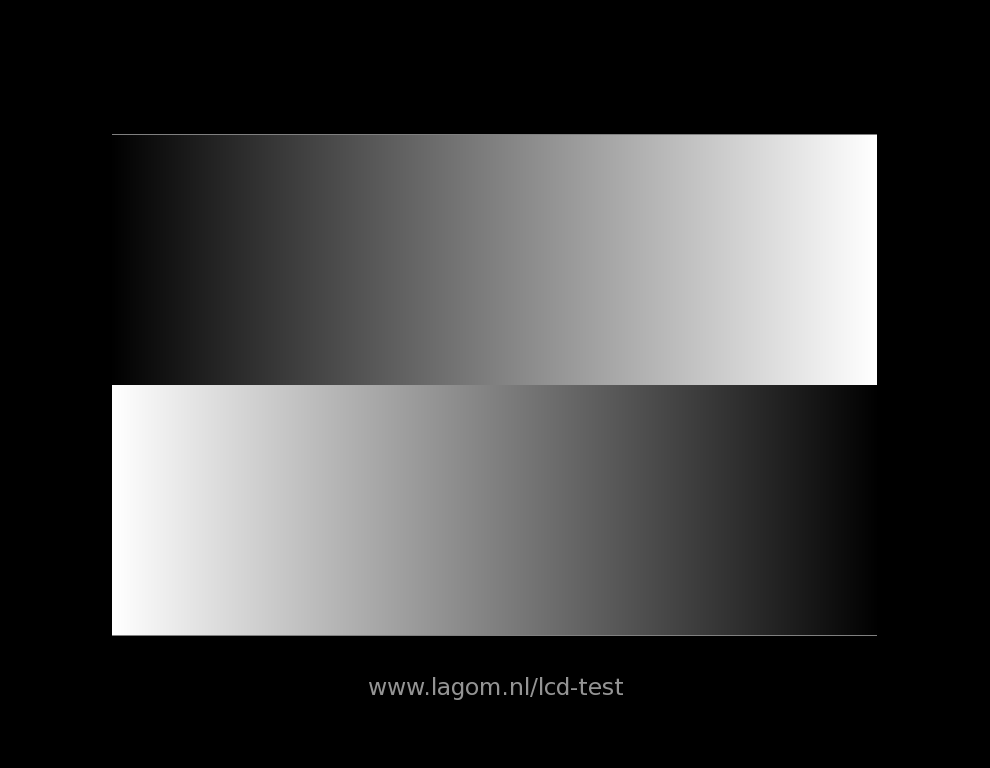
it doesnot matter how good quality of picture i made with my photocamera, you clearly see blue lines over color. I think this is due to failing show up proper colors when color is changing smoothly. It happens to all colors (blue red green etc) when color has transition from lighter to darker somewhere and vice versa.

as you see even forum for me looks different :f_biggrin: :f_biggrin: one post ok, other tinted blue because color is changing slightly on background and i doubt my monitor just can not reproduce propper color in here so it shows up messed up. When i move my mouse cursor in here, around mouse coursor blue tint dissapears, i guess again minimal color changes are playing big part in here. So Thats it.

Hope it is fixable, but have no idea how much would it cost. Any ideas? :f_cool:


Reply
Quote
Super Moderator
VorpalF2F
Joined: 02.09.2010

Well, first off, that you SO MUCH for that link to the monitor test site.

Now to your problem.

Can you confirm the following:
The exact model make and model number of this monitor.

The resolution settings of your graphics card.

The make of your graphics card.

Your operating system.

From the picture you provided of the forum, it appears to me that that your resolutions settings do not match the "native resolution" of the monitor.

When you a using a graphics card resolution that is not an exact match for the monitor's preferred resolution these things can happen.

There is also that possibility that the monitor or graphics card is faulty.
Can you take the monitor to the store where you got it and have them check it while you watch?

Regards,
--VS


Reply
Quote
Super Moderator
VorpalF2F
Joined: 02.09.2010

Update:

I tested my monitor on various resolutions and could not reproduce the symptoms you describe.

Also, I could not see the image using the link in your post, but this one:

http://www.lagom.nl/lcd-test/gradient.php

worked fine.

Regards,
--VS


Reply
Quote
AlvisR
Joined: 27.02.2009

Good points Vorpal, but i have tried everything you have mentioned, i tried to plug it to laptops as external screen, it shows up the same problem.

best quality i had with VGA cable, most terrible was with HDMI cable.

And i bought it on amazon 2 years ago, when i bought it i used only vga cable and used quite rarely. I somewhat noticed problem but wasn`t too interested in it, When time passed, and i kept grind more pokr (more time on PC) i started to understand, that something is not right, getting tired too fast. Then checked other LED screens around and saw difference. But it was too late to complain about faulty screen where i purchased it. Will try to fix it with local technicians or sell it. will some day.

All this posting in here was for a reason maybe someone had the same problems and sorted them out. But i guess this is a rare case when you just get unlucky and buy faulty stuff out there. Anyways will talk with tech guys nearby and post some updates here, how it went thorough. By myself, i am quite good at software and stuff. I have built couple PCs by myself, repairing others laptops now and then if needed. So i know a bit.

But this screen problem seems for me to have problem somewhere in depth of hardware, and i do not have knowledge and tools to fix it unfortunately.

Anyways, will update when this will be sorted.


Reply
Quote
AlvisR
Joined: 27.02.2009

Originally posted by VorpalF2F
Update:

I tested my monitor on various resolutions and could not reproduce the symptoms you describe.

Also, I could not see the image using the link in your post, but this one:

http://www.lagom.nl/lcd-test/gradient.php

worked fine.

Regards,
--VS

this was not suppose to be an image on link, because lagom site thinks hotlinks changing quality of their given images, link works fine and need to find my catched image. I am glad your screen looks fine :f_cool:


Reply
Quote
AlvisR
Joined: 27.02.2009

Guess what! I fixed this problem by myself :f_cool: connection to the matrix panel was too loose and it was freely moving when you touch with finger (see picture). Tightened it up and i have stunning screen now. I am pleased as hell! :f_biggrin:


Reply
Quote
Super Moderator
VorpalF2F
Joined: 02.09.2010

Fantastic!

How did you figure it out?

--VS


Reply
Quote
AlvisR
Joined: 27.02.2009

haha, it wasnt like something clicked in my mind :f_biggrin: i saw on youtube some techguy who was posting lots of incredible videos about playing with voltages and making incredible stuff. For me he looked like a fanatic lad about technologies. I asked him a question on youtube about my problem, he just shot something out of mind and i catched words he said straight away.

I thanked him a lot ofcourse! :f_cool:


Reply
Quote