Skip to forum
Notifications
Clear all

WiFI range, boost extender

8 Posts
4 Users
0 Reactions
1,747 Views
koiota1
Joined: 09.12.2017

Hi,
could someone recommend me a Wi Fi booster in the cheap range of the devices, that actually works.
I was thinking of a combo of them two:
Link Text...
and
Link Text...

Do those cheap solutions really work, cuz I've never used similar devices before ?


Reply
Quote
7 replies
Super Moderator
VorpalF2F
Joined: 02.09.2010

Hi koiota1,
The 2nd link isn't to an extender, but to an adapter that plugs into a USB port.

The other one is a signal booster but only for the 2.4 GHz band -- if that is all you need then that's OK

I own a D-Link WiFi booster, and it works, but since my computer is in the basement, even the booster didn't help enough, so I had to run some CAT5-E cable from my main router to my office.
My D-Link also doesn't do 5GHz.
5GHz doesn't carry as far anyway, so perhaps a 5GHz booster would be a wasted effort. (I don't know about this, since I've never had a 5GHz booster)
In the office I have a Gigabit switch for the several computers I have here.

The main router is at the back of the house where the cable comes in, and the booster is in the living room, and provides a strong signal for devices in that room.
My office is directly below the living room, and the booster does OK for my phone and tablet, but I would never try to play poker using that link.
Oh yeah, and streaming would be impossible.

On thing I could suggest is that you download a wifi analyser app for your phone.
I use the premium version of https://play.google.com/store/apps/details?id=abdelrahman.wifianalyzerpro

You'll be able to tell the signal strength at various locations.
Here's a screenshot...
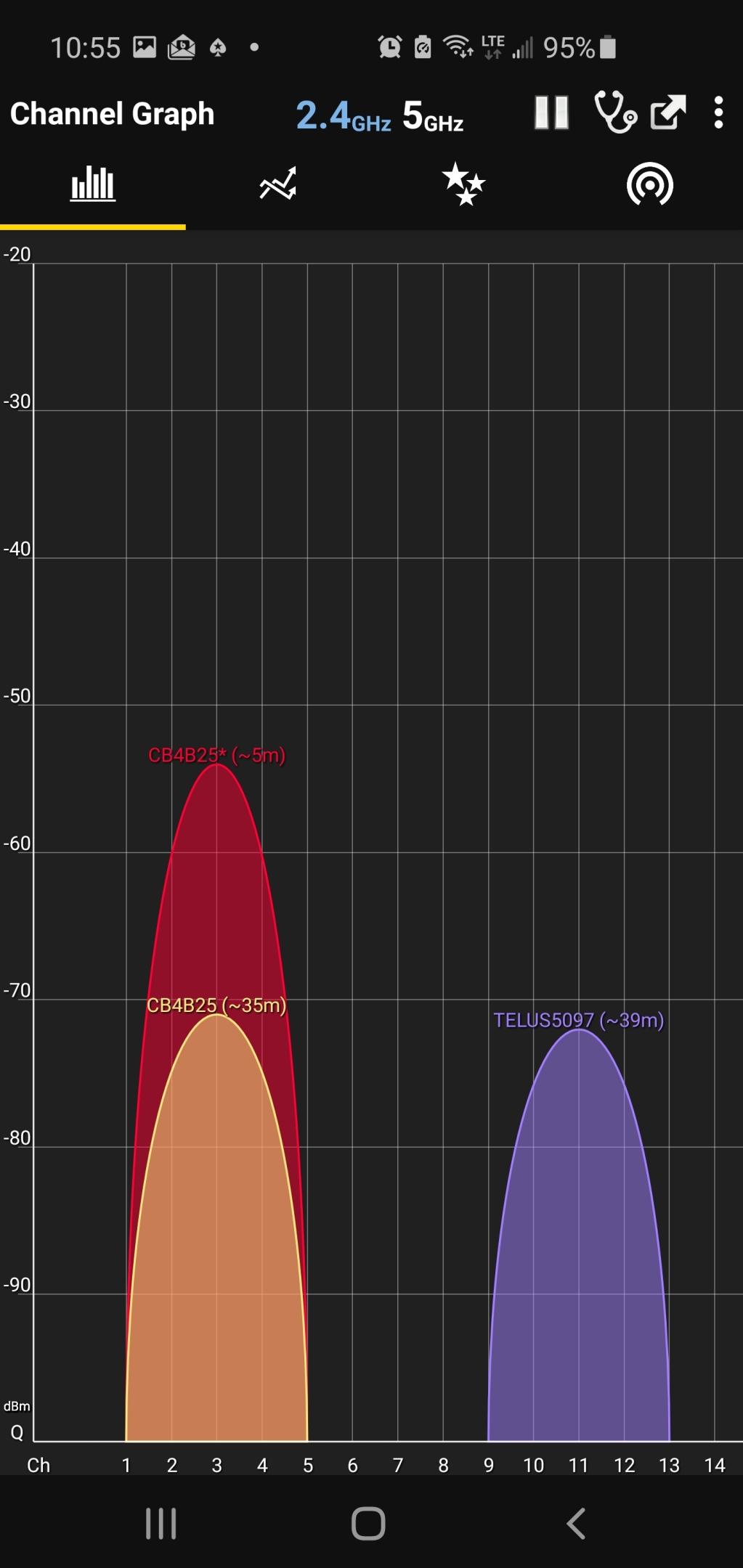
The yellow graph is from the main router, the red from the booster.

...wishing you the very best for a peaceful, prosperous 2021,
VS

Since when playing poker, you stand to lose money if the signal drops,


Reply
Quote
koiota1
Joined: 09.12.2017

Hi,
thanks for answering.
Just one question, about the adapter - Isn't it supposed to increase the WiFi signal receive? Or it's just for for devices that don't support WiFi connection? That's why was thinking of a combo with them two.

Well router is in the living room and my bedroom is on the second floor, so signal is pretty dodgy, some days its ok others is shite. I'm not staying here for long and definitely not running cables in my friends house :f_biggrin: though, but I'm getting such a cheap solution( WiFi booster). in addition definitely changing my mobile plan to unlimited data soon.
Cuz tbh I often move and I'm sick of experiencing internet problems in 21 century


Reply
Quote
Super Moderator
VorpalF2F
Joined: 02.09.2010

Yeah, running cables through other peoples houses isn't often wise. :coolface:

I didn't notice that the adapter also claimed to boost signal, and I have no experience with similar adapters, so I wouldn't know


Reply
Quote
zyvy
Joined: 20.02.2009

in my experience better solution is a
powerline adapter


Reply
Quote
Super Moderator
VorpalF2F
Joined: 02.09.2010

I had a similar one years ago -- it only worked well if both the sending unit and receiving unit were on the same circuit.

If the signal had to pass through the circuit breaker panel, it was severely weakened.

Do the newer ones work better?


Reply
Quote
Merlinious
Joined: 22.11.2017

Try the Tenda router, you have to buy its router so you can use its separate extender device. I'm using it and it works really well here in the house.


Reply
Quote
Super Moderator
VorpalF2F
Joined: 02.09.2010

This is an old thread, and since my first reply above I purchased two of these:
https://www.dlink.com/en/products/dap-1610-ac1200-wi-fi-range-extender
Without them, the 5GHz signal is useless in the front room, dining room and kitchen.
With them, I even get decently usable wi-fi in the basement.

Since we go them, we don't use the 2.4GHz band at all, since the performance on the 5GHz band is so much better


Reply
Quote