Hand2Note is statistical software designed to show poker stats on a game table, ability to create and use positional and dynamical HUDs, pop-ups, badges, visual presentation of preflop and postflop ranges, as well as creation of additional stats.
The state-of-the-art functionality of the program allows fast and handy use of all settings to create and edit HUDs for an individual user.
Features
Hand2Note makes it possible to create within a short time HUDs, pop-ups, regular and complex stats, and use badges.
HUDs: Static HUD/Positional HUD/Dynamic HUD
Due to internal HUD Editor and use of flexible settings, you can create static, positional and/or dynamic HUDs. It enables you to show on the table only the stats needed to play at the moment.
Static HUD
A classical HUD where the same HUD is shown to all players irrespective of your position at the table.
Positional HUD
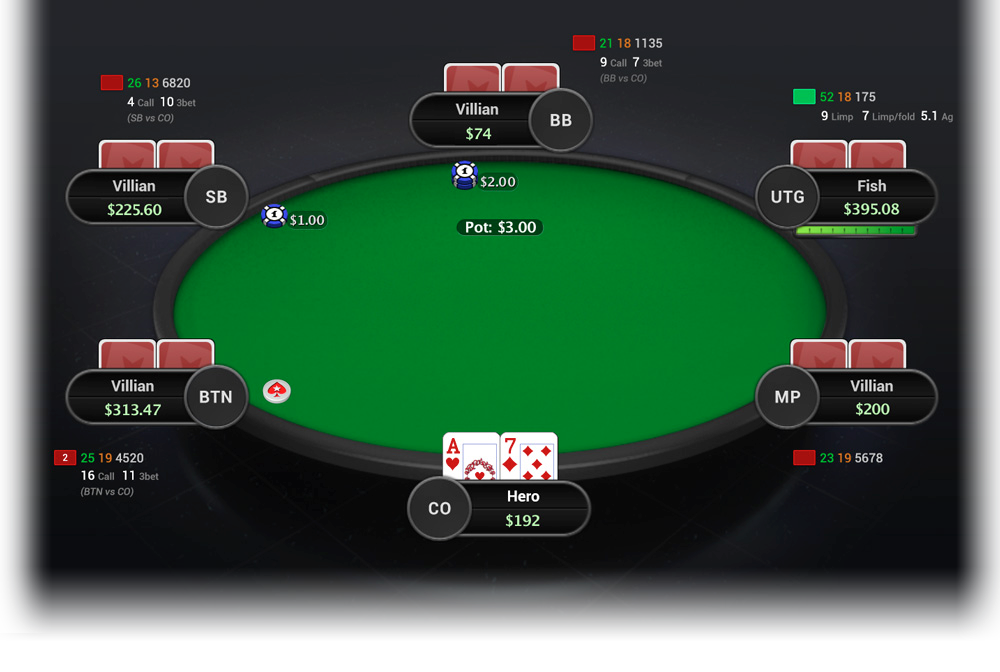
The HUD shows the necessary player’s stats in depending on your current position (Hero position).
When playing a game, you have opponents before you – Preflop Raisers, and players who sit after you – those who can make Call or 3bet.
Using Hand2Note’s HUD Editor, you can create numerous HUD presentations for players who are in different positions at the table (different HUDs for those sitting before you and after you).
Also, in a positional HUD for tournaments, different stats can be displayed for players with certain stacks and changed depending on the number of players at the table.
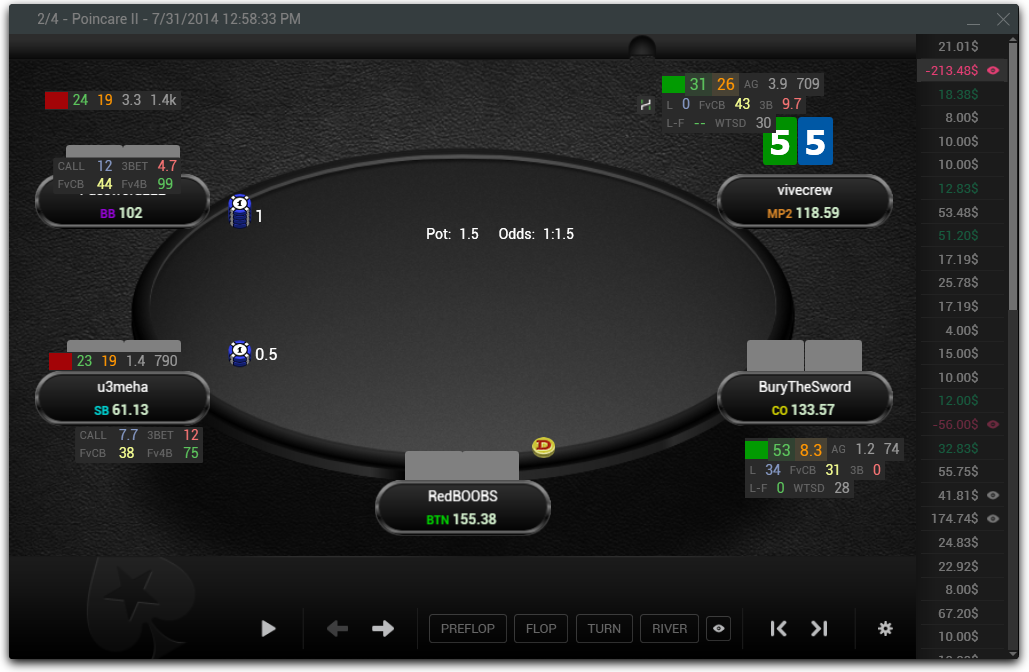
Example of a positional HUD:
Dynamic HUD
This type of HUD includes all positional HUD’s features but gives more flexibility for displaying poker stats on the table.
Dynamic HUD can vary depending on a player’s actions; Additional stats is shown on the table only after relevant actions; stats changes when certain betsizings are used; showing necessary preflop or/and postflop ranges directly on the poker table in a matrix form and other features, which make playing more comfortable.
There are examples of dynamic HUDs where all the necessary statistics are shown on the poker table in a HUD; and in some cases, it allows to – do not use pop-ups.
Dynamic HUD is a unique and handy feature available for Hand2Note users, which allows using HUDs of a new level.
* Poitional and Dynamic HUDs are prohibited on PokerStars
Charts and additional info on each stat
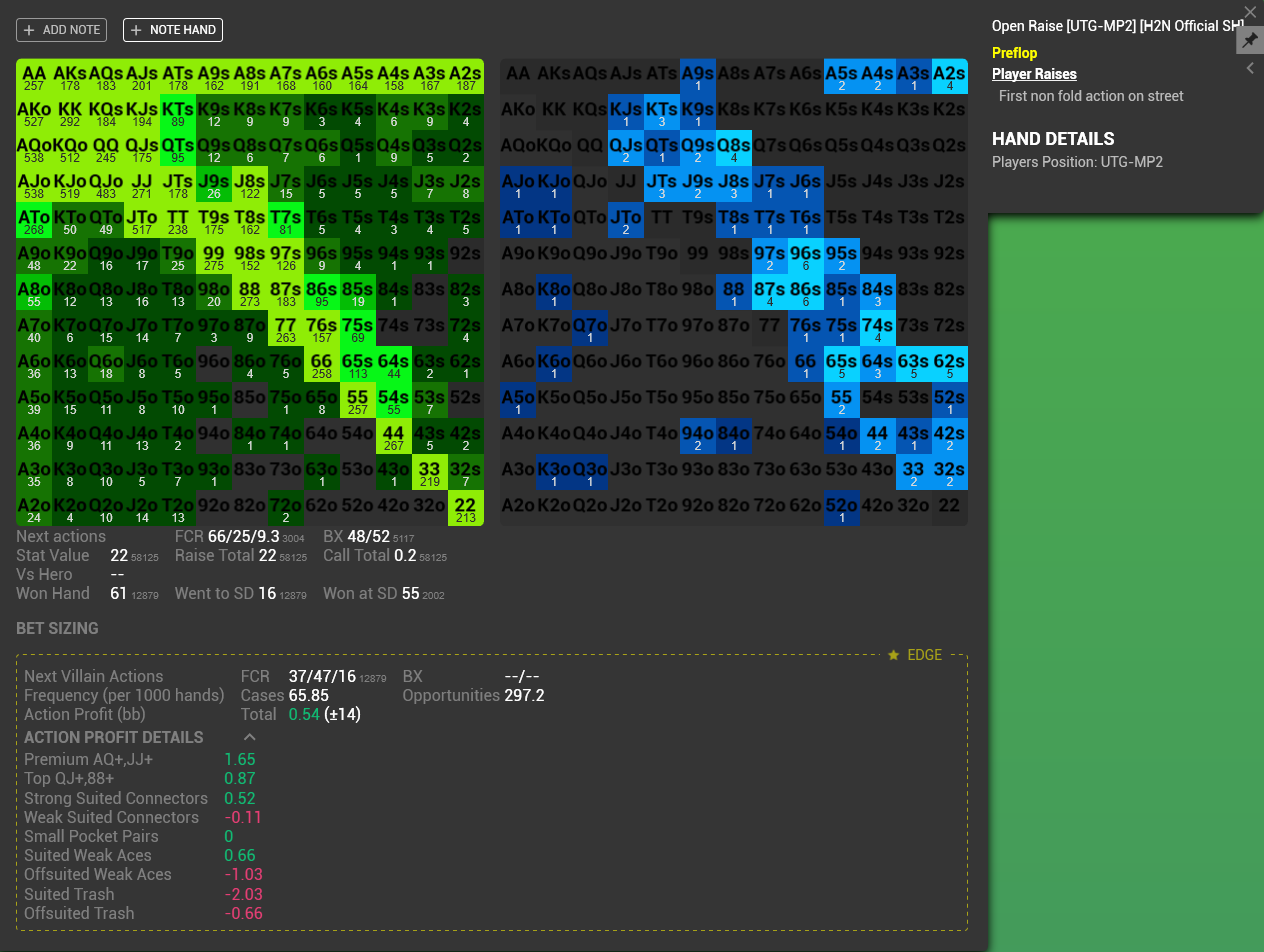
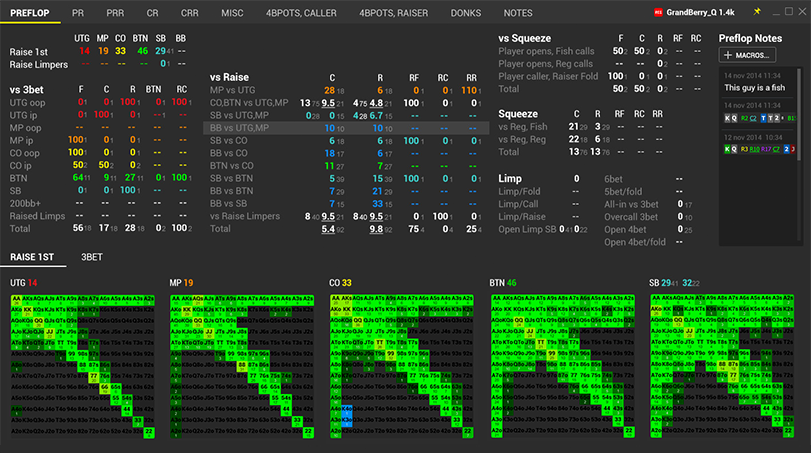
Also, Hand2Note allows using preflop ranges in matrix form and postflop chart ranges both in the HUD itself and in pop-ups.
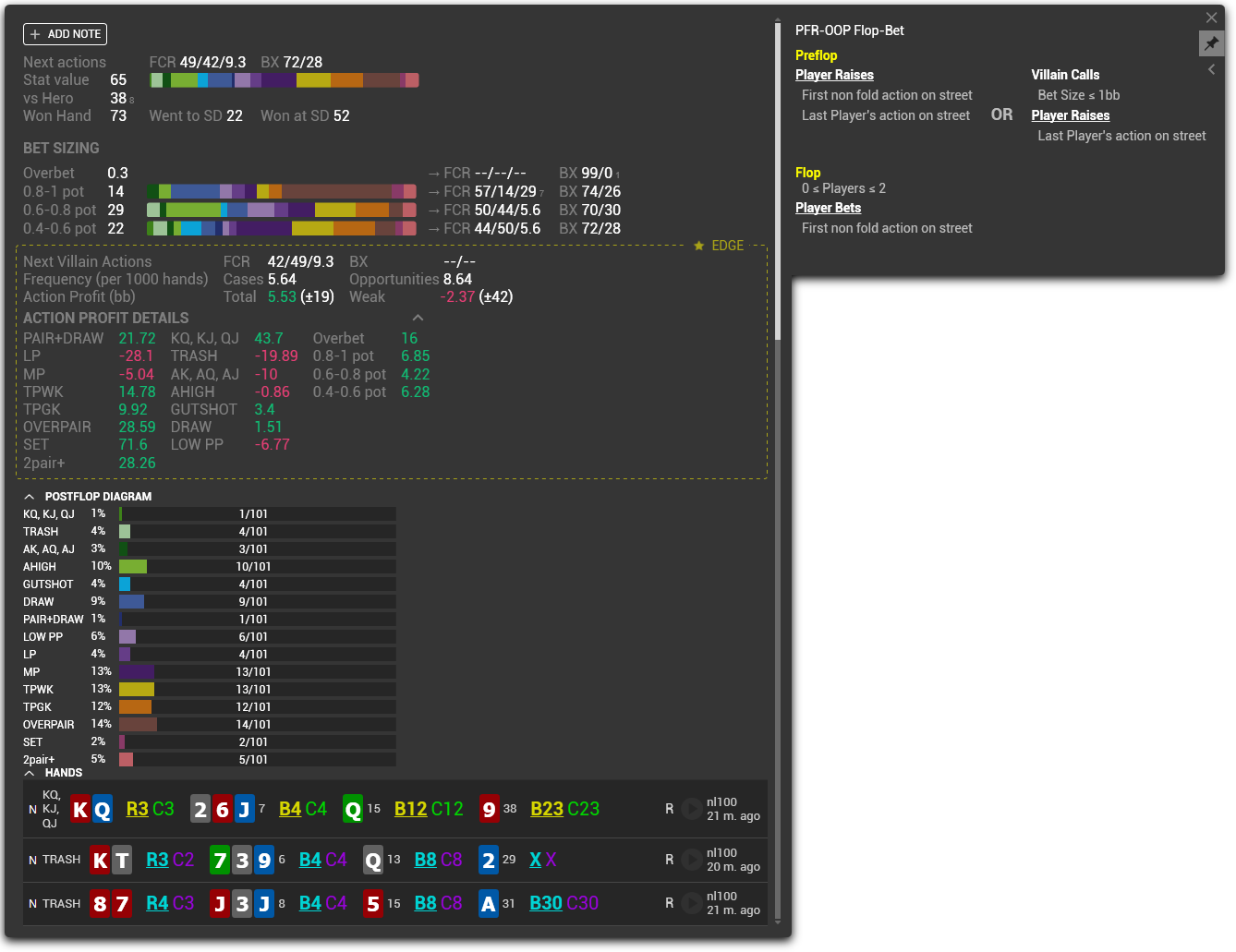
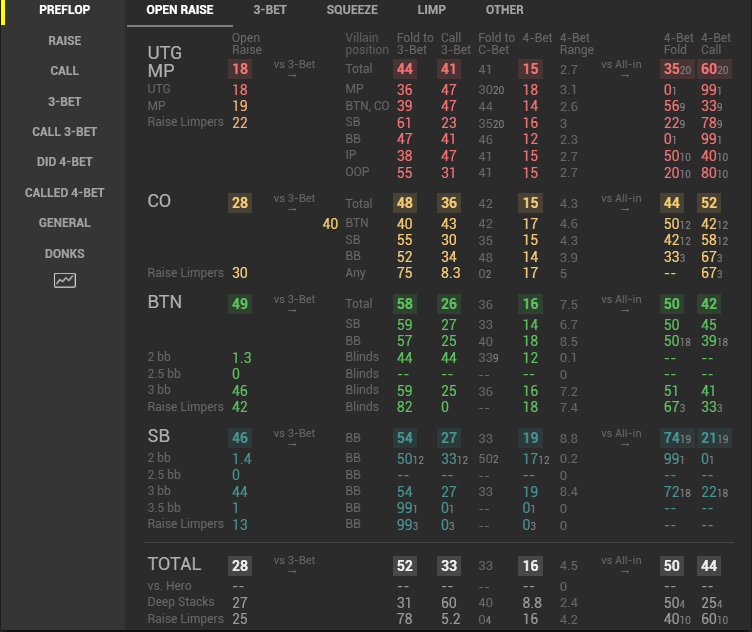
Hovering over a stat shows an additional pop-up with details on this action, bet sizings used, wins at showdown, ranges if was a showdown and a list of hands.
Notes, Hand history vsHero, «QUICK NOTE» Function
During a game, Hand2Note automatically tracks how opponents are playing against you (vsHero hands).
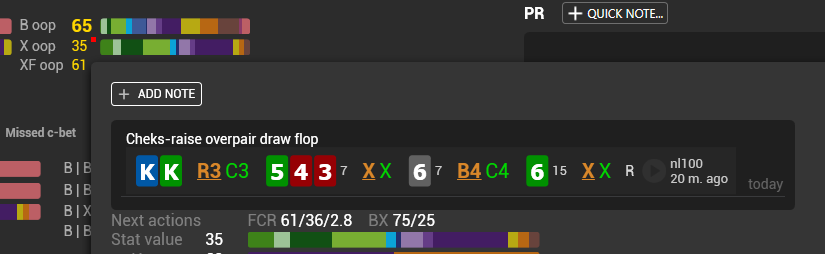
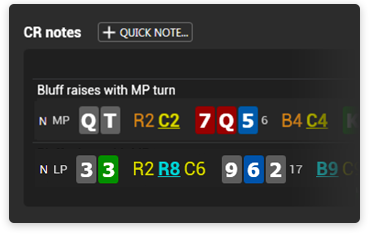
The number of played hands with showdown is shown in a note icon, and you can view how new hands have been played and, if needed, make notes on the player manually or using preliminarily prepared note templates – a «QUICK NOTE» feature; in this case, along with writing a note, the date of creation is automatically recorded.
«QUICK NOTE» Feature
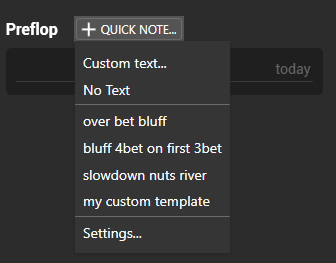
QUICK NOTE is designed to simplify the creation of notes on your opponents. It reduces the time needed to create notes up to a couple of clicks.
Once created some note templates, you can use them to mark your hands. Then, along with manually created notes, you will be able to see also the marked hands in notes (Notes Group).
This possibility to write notes facilitate analysis of your opponents’ play. Due to automatic registration of note creation times, you can easier track a player’s dynamics.
Creating pop-ups, HUDs and stats
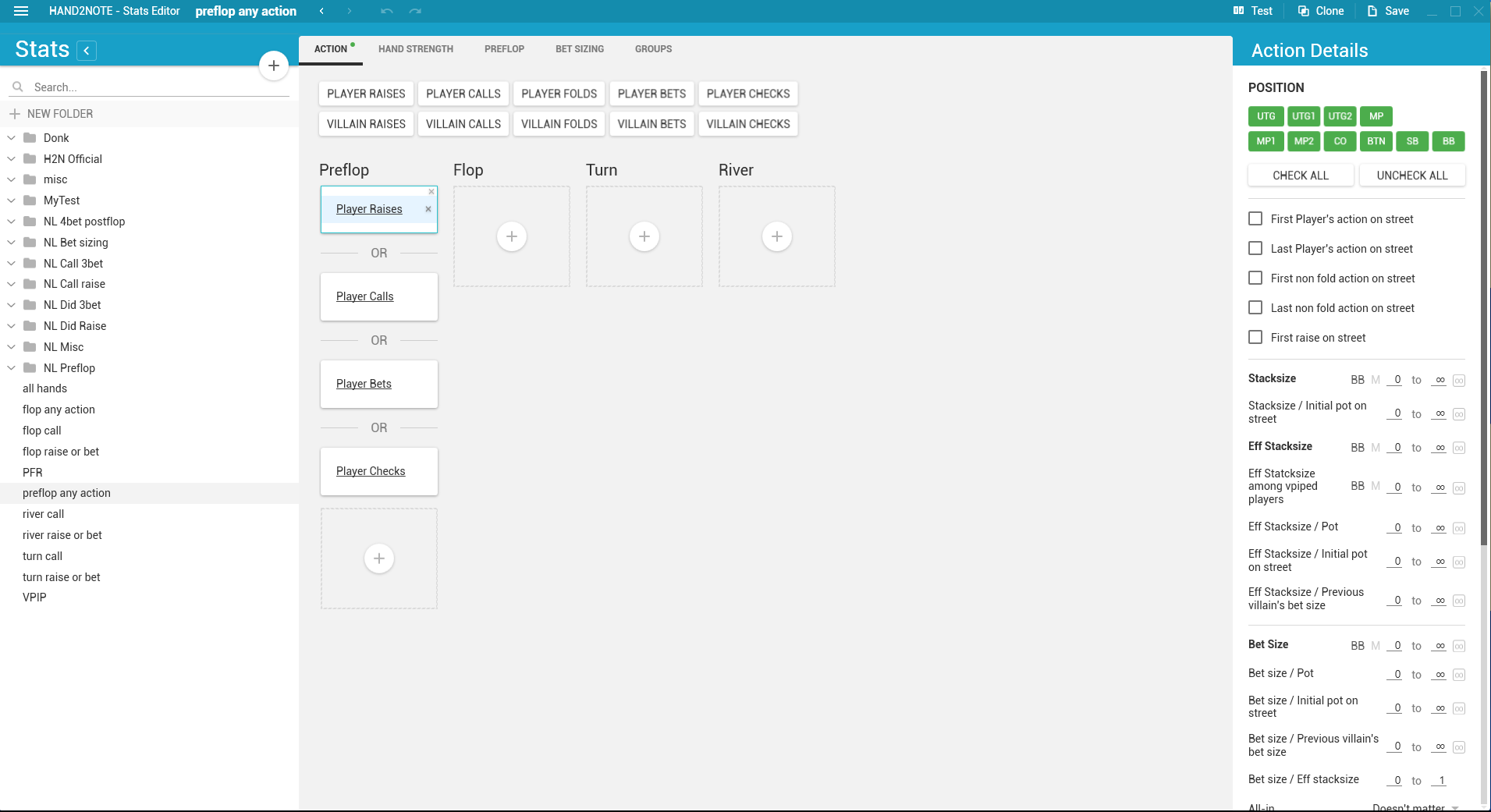
Hand2Note has internal editors for HUDs, pop-ups and stats (Filters), which allow fast creation and easy adjustment of HUDs.
The editors make it possible to copy and change the whole blocks of pop-ups; this allows you to obtain your individual HUD for the game within a short period of time.
For those users who would like to have maximum detailed statistics on their opponents, there is an opportunity to create stats (Filters). Due to a simple structure of settings and availability of examples, you will be able to create statistics for the game needed for more accurate decision-making.
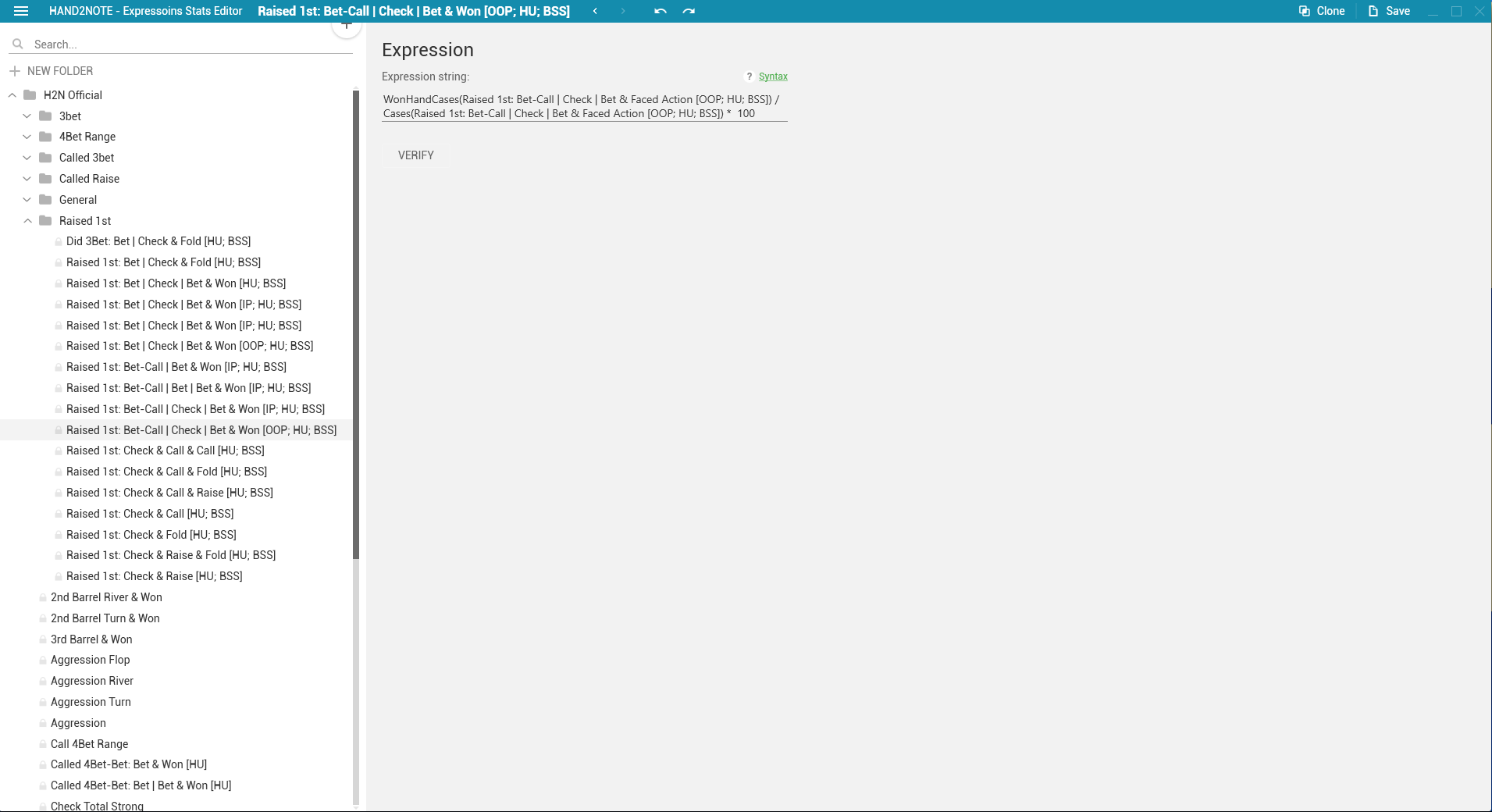
Also, the creation of badges is available. The most advanced users can also create complex stats with mathematical operations (Expression Stats).
Statistics
Excluding Reg vs Fish pots
Hand2Note allows creating and using in your games more accurate statistics to take more informed decisions due to the feature of determining fishes (recreational players) and regs (players who play much, just like yourself). As a result, you can receive statistics including only hands when a regular vs another regular, thus giving you stats on how opponents play with players like you.
Also, stats are possible for situations where regulars play with a fish available at the table.
Thin adjustment of stats in Hand2Note allows using statistics in required play situations: reg vs reg or reg vs fish.
Notes on stats
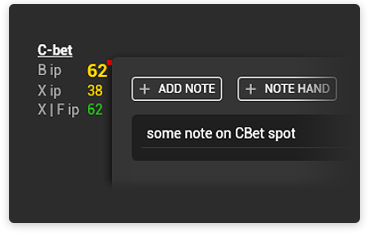
Also, Hand2Note features creating notes on each stat separately. Stats marked in this way will be additionally marked in the pop-up.
Notes can be made manually or using QUICK NOTE. It simplifies player analysis and forces, when reading stats in a pop-up, to pay attention to certain opponent’s actions during a playing session.
Player analysis
Hand2Note offers a much easier analysis of your opponents’ play beyond tables, due to the fact that you can promptly receive information on a player’s range by just hovering over the stats in a pop-up and make notes on both a player and his separate stats.
Showing stats, ranges, and hands played on a certain line allows you to easier and faster receive the necessary information on your opponent to understand where weak lines in his play are and how you can better play against him or improve your play by analyzing the best players on your limit.
Additionally, preflop and postflop ranges can be analyzed with Range Research. Due to this Hand2Note’s feature, you can analyze groups of players to receive answers on ranges which they use with different actions, in particular, when certain bet values are used (min bets, overbets, etc.).
Statistics vsHero
Hand2Note has an internal feature of showing stats vsHero, which enables you to see how opponents play against you.
All statistics in a HUD and pop-ups can be automatically supplemented with stats vsHero, thus allowing you to better see how the opponents adapt to you, and in what places their playing deviates from the regular one.
Examples of pop-ups from Hand2Note
Advantages
Speed
- Low hardware requirements – you can use Hand2Note on entry-level computers.
- High speed of hand processing – average time needed to obtain a working base is 5 to 20 minutes, even with high amount of stats and pop-ups. Speed of hands loading and processing – 1000-3000 hands per sec.
- High speed of showing pop-ups even when bases with many hands are used.
HUDs
- Positional and dynamic HUDs
- Flexible settings for showing different blocks in a HUD depending on a game situation
- Fast showing and changing HUDs on ZOOM and Fast tables.
Creating stats and a HUD, editing pop-ups
- Flexible settings for stats creation
- Fast creation of stats and stats groups based on previously created template statistics is possible
- Easy editing of HUDs and pop-ups, ability to copy and move whole blocks in pop-ups and a HUD.
Data size
- Compact size of Hand2Note databases – 800 Mb to 3 Gb in average..
Affiliate program
Become Hand2Note affiliate
Special offers for streamers, trainers and website owners.
Additional information e-mail: support@hand2note.com
Supported Rooms
Hand2Note is allowed for use in all supported rooms. .
FAQ. Supported Poker Rooms
Use/Trial
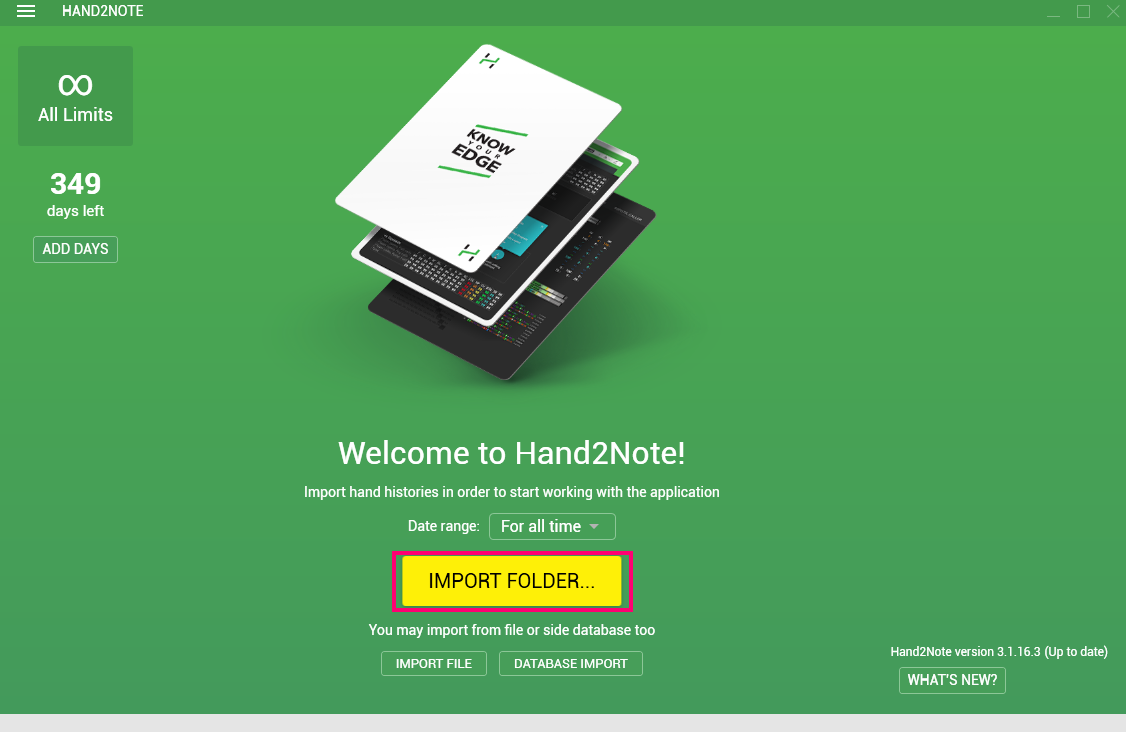
You can take advantage of a Hand2Note trial version
During 30 days, you can play on any limit using the entire functionality without any restrictions, (except for Range Research). After the trial period, Hand2Note will work free on limits up to NL25.
Additional information
Hand2Note – Hand2Note is the only program which allows using dynamic HUD.
Link to Site Statistics and HUDs of a New Level.
Description/FAQ
ENG: http://www.hand2note.com/Help
Support
Forum: Click here
e-mail: support@hand2note.com


 Hand2NoteOfficial











 VS
VS