New version 1.12.5.0 is availabe 
Because some users asked for it: The Power-Equilab provides a pretty cool tool named “multiple flop range reduction” with which you can automatically reduces a given range by a given reduction method on a subset of different flops.
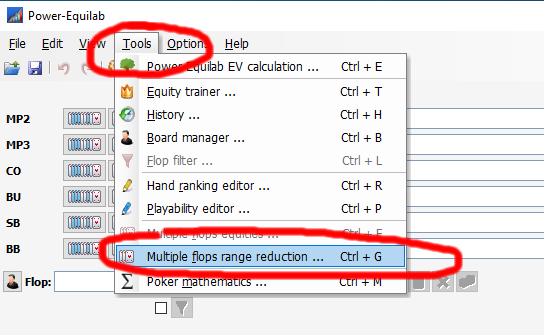
You can answer questions like:
- “How often will villain call a potsize bet on different flops?”
- “How often can I do a continuation bet on different flops?”
- and similar questions
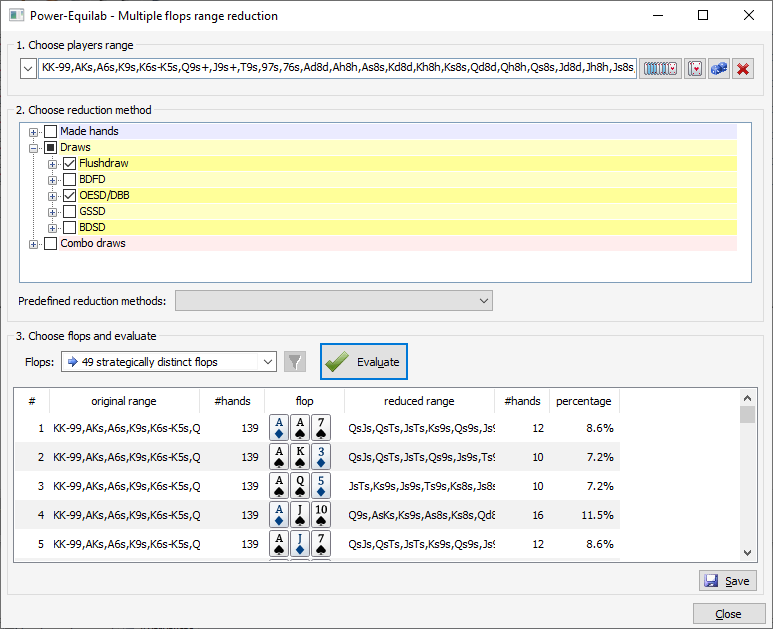
The subsets with each a different number of flops are designed to cover all flops as best as it is possible. Power-Equilab provides 12, 25, 49, 74, 95, 184 or 1755 strategically different flops. It’s logical, that the higher the number of flops the better is the coverage of all flops.
If you choose “use flop filter (xxxx)”, the current flop filter will be activated and all further simulations will be done with these flops. The number of flops is indicated between the parentheses.
You can set the desired flop filter by clicking the button , the flop filter window will be opened.
First step is to simply choose (or input) a range from the hand range selection window to the input field. Of course you can take nested ranges as well:

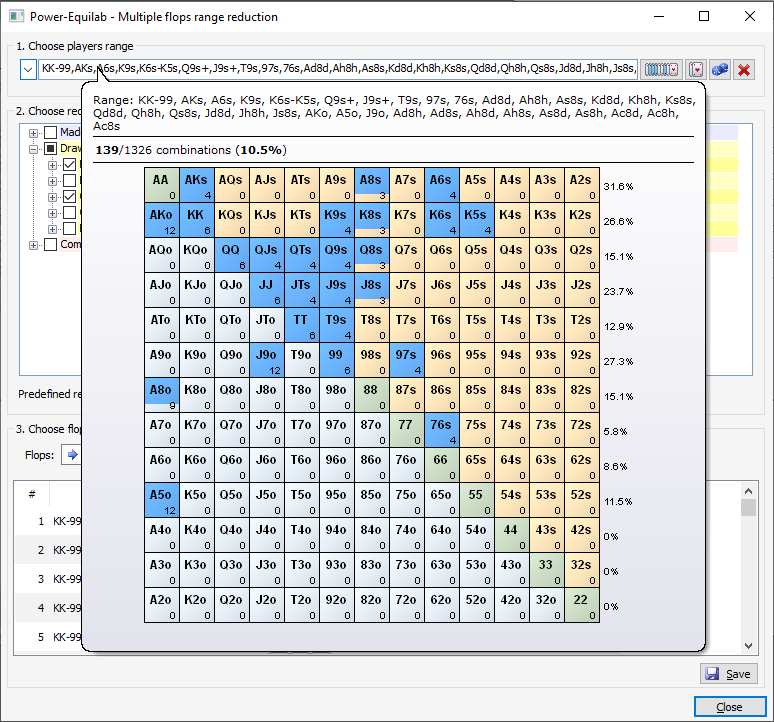
Your range can be displayed by the well known tooltip:
Second step is to define the desired reduction method. The best way is to define your own reduction methods in the "hand strength distribution and hand range reduction window" and take them into the method tree:
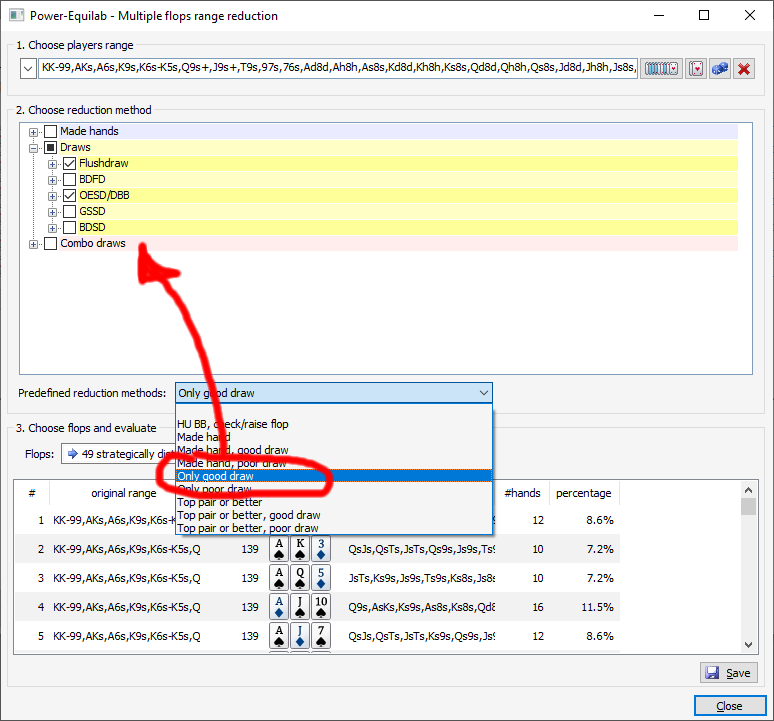
Third step is to define how many flops should be taken into account:
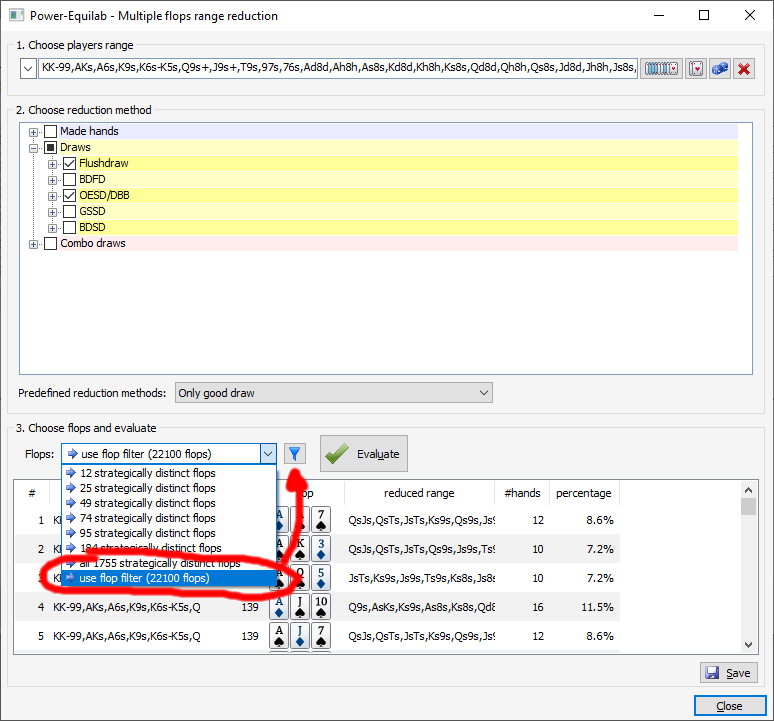
Then press the Evaluate button to start the calculation:
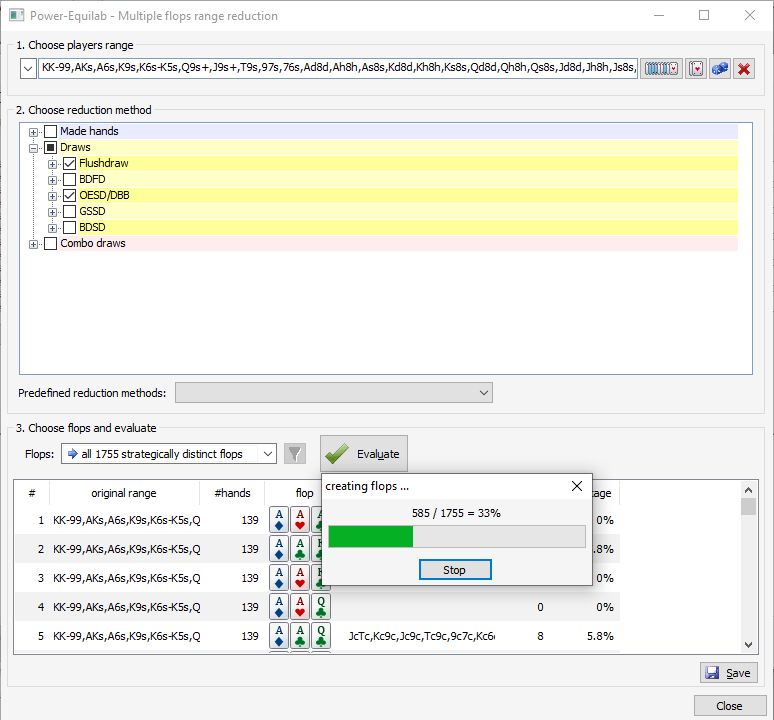
All results will be listed:
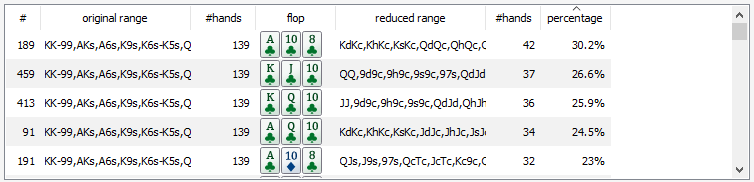
The most interesting part is obvious the percentage of hands of the reduced range, which f. e. answers your initial question “How often will villain call a pot size bet from me?”
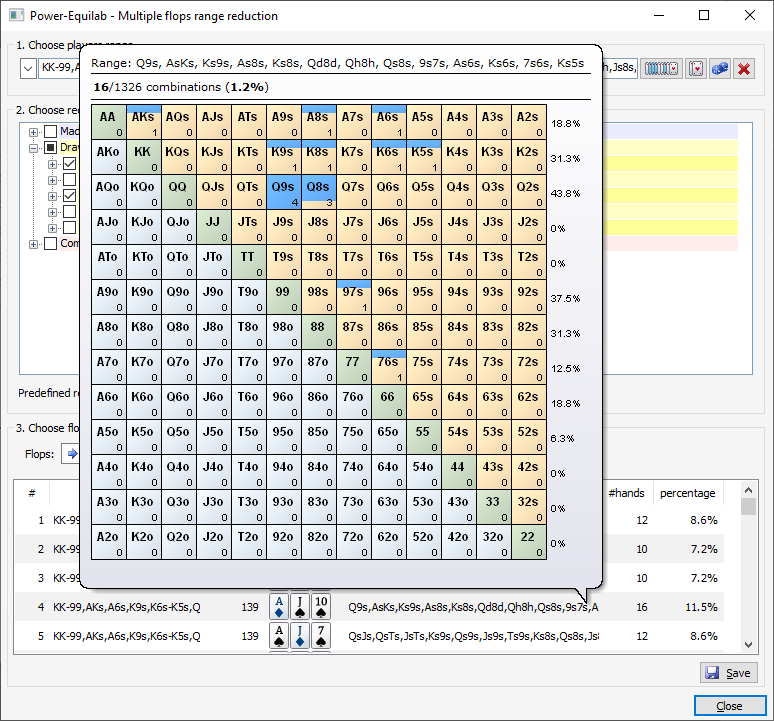
You get a fast overview of the reduced range by your well known tooltip:
Finally you can save the results for further calculations or future studies into a csv file by pressing the "Save" button.

best regards, nopi