Skip to forum
Notifications
Clear all

bbcode youtube start from specific time

12 Posts
5 Users
2 Reactions
11.7 K Views
zyvy
Joined: 20.02.2009

maybe stupid question but cant figure it out
i know how to put video into [youtube*]

but how to make it start from specific time like

will be just link to video that start from 34:49min
when i put the link from above with ?t=34m49s it just error becasue it try to pointing to complitly diffrent video than 54wQIjT2g7A
example:



Reply
Quote
11 replies
krugger3000
Joined: 07.04.2017

try with &t= instead of ?t=

edit = fail, don't try this :f_mad:


Reply
Quote
Lazza61
Joined: 23.03.2011

Hey zyvy,

You should be able to do it by following the instructions here.

Regards

Laz


Reply
Quote
tonypmm
Joined: 11.01.2009

Dear Laz, if you reread the original post carefully and try quoting it into the editor to see the raw code of that post (namely, of its very end that was supposed to contain a video), you'll notice that zyvy tried inserting a link exactly in the youtu.be format in which Youtube gives the link if one uses the 'automatic' method ('The Easy Way') from the article that you've suggested, and the fact that the link wasn't embedded properly is an issue with specifically Pokerstrategy's forum software.


Reply
Quote
tonypmm
Joined: 11.01.2009

However, inserting a link in the following format (aka 'The Long Way')

[youtube] https://www.youtube.com/watch?v=54wQIjT2g7A&t=34m49s [/youtube]

does do the trick:

So the only thing that needs to be fixed is the embedding of videos in the

[youtube] https://youtu.be/54wQIjT2g7A?t=34m49s [/youtube]

format.


Reply
Quote
Lazza61
Joined: 23.03.2011

Originally posted by tonypmm
Dear Laz, if you reread the original post carefully and try quoting it into the editor to see the raw code of that post (namely, of its very end that was supposed to contain a video), you'll notice that zyvy tried inserting a link exactly in the format which you've suggested and the fact that the link wasn't embedded properly is an issue with specifically Pokerstrategy's forum software.

Not quite. I was suggesting # rather than ?

Agree that it is probably our forum software not supporting it. #t= works fine at youtube


Reply
Quote
Super Moderator
VorpalF2F
Joined: 02.09.2010

Originally posted by zyvy
maybe stupid question but cant figure it out
i know how to put video into [youtube*]

but how to make it start from specific time like

will be just link to video that start from 34:49min

The instructions laz linked to suggest the # sign, and as you can see, it works as well as the?
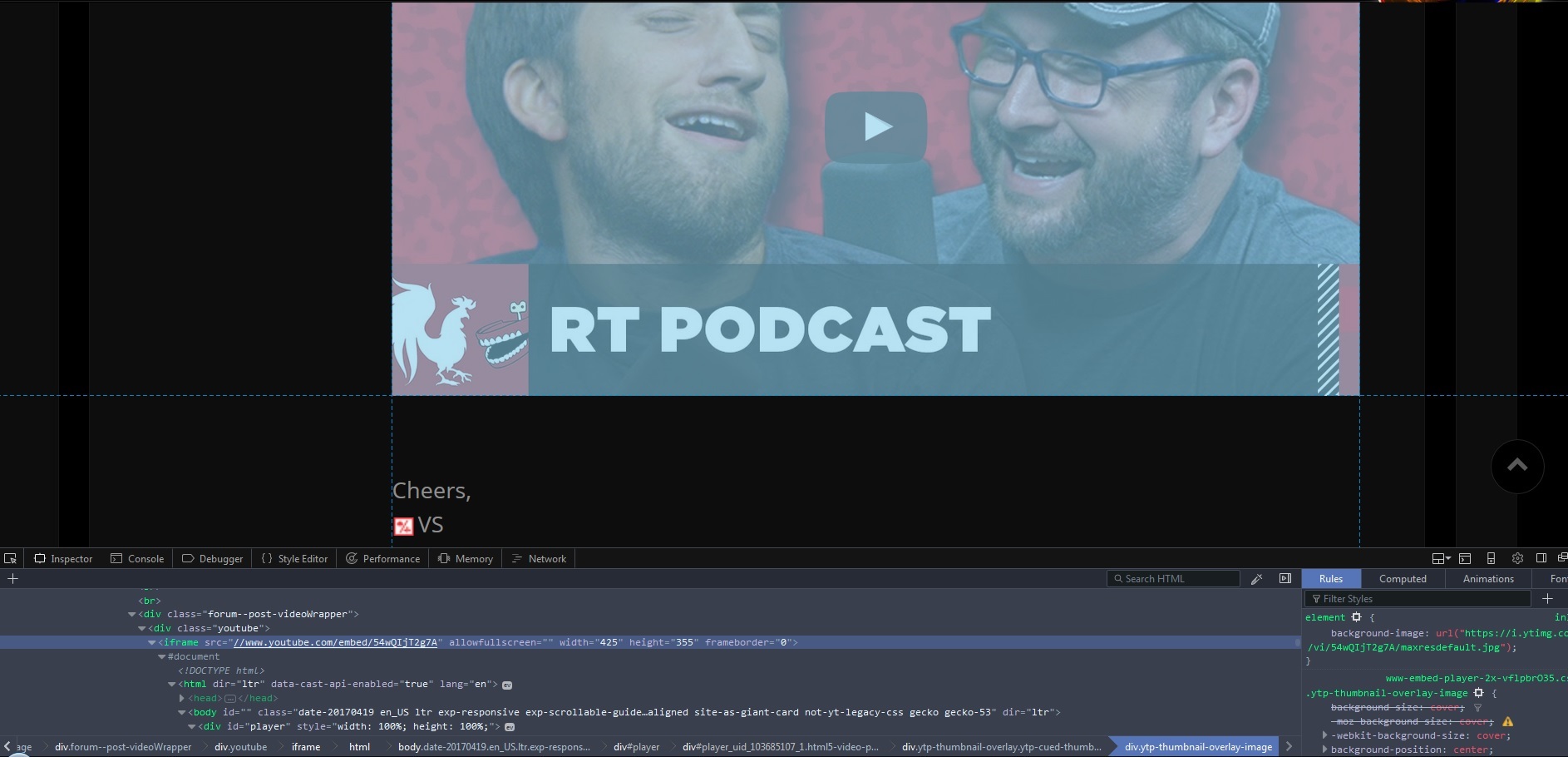
It doesn't work inside the

Cheers,
VS


Reply
Quote
Super Moderator
VorpalF2F
Joined: 02.09.2010

I thought that perhaps the problem related to using the shortened youtu.be form of the link, so I tried the full version:

[youtube] https://www.youtube.com/watch?v=54wQIjT2g7A#t=5m19s [/youtube]

The full form of the url works with both the ? and the #, but neither works inside the tags.
It seems Laz's conclusion that the difficulty is with the youtube tag implementation in this forum.

Some sites mention using ?start=79
This may work for embedded, but doesn't here.

Cheers,
VS


Reply
Quote
zyvy
Joined: 20.02.2009

thanks for answers but none of them works as embed ,

when you inspect element, you will see that youtube address is stripped, and it don't have time where it should be starting video.

i think on this site you just use some sanitation and removing everything what is after special characters like #,/,\,&, including those characters.

Spoiler

and if the character is: ? (question mark), than you just remove: ? (question mark) and keep what is after it

Spoiler


Reply
Quote
tonypmm
Joined: 11.01.2009

Originally posted by zyvy
thanks for answers but none of them works as embed

Which browser are you using?

It looks like Youtube saves the moment at which I paused a video (or opened it the last time?) so my and Vorpal's embedding attempts actually link just to the video without a specific timestamp but Youtube jumps to a later moment in the video automatically.

That's why I was under the impression that my method worked - I had opened the video through your initial link so Youtube memorised that I last opened it at 34:49.


Reply
Quote
zyvy
Joined: 20.02.2009

I tested this on firefox and chrome

yes youtube will remember when you already seen that video
just to test if that is the case try to change time in the link from 34:49 to other time for example 12:34, and past that link with new time it should start


Reply
Quote
Super Moderator
VorpalF2F
Joined: 02.09.2010

Originally posted by zyvy
yes youtube will remember when you already seen that video
just to test if that is the case try to change time in the link from 34:49 to other time for example 12:34, and past that link with new time it should start

Yeah, I did that as well. After I discovered that, I did each test on a different video.
I think that the best solution here is to use a standard url with time code when you need to post a link with a certain offset.

The youtube tags seem to "clean up" the url.

All the best,
VS


Reply
Quote