Skip to forum
[OFFICIAL Support T...
 
Notifications
Clear all

[OFFICIAL Support Thread] Power-Equilab - Equity calculation tool

346 Posts
81 Users
46 Reactions
175.2 K Views
nopi
Joined: 18.08.2006

Originally posted by HHHuBi

Originally posted by Kirill238
Hello.
I want to ask about interesting feature in this program "Playability profile" . This program has integrated profile "Heads up playability ip/oop(pencentage of equity realization)". Could me explain how calculated percentage of equity realization ip/oop? For example why 72o realizes more equity than K2o? Can I trust this integrated profile? I understand that this percentage depend on the opponent, I mean we have same skill.

Hi Kirill238,

whether you can trust these profile or not, you have to judge for yourself.
We have build these values based on intensively discussions in the german forum here on PokerStragtegy.com.
Note, that you can build your own playbility-profiles and change the values as you want.

Hi I have two question:
1. What is difference between filters equity offsets (or what is it) in heatmaps and filters percentage of equity realization?

Like the name says:
1. Equityoffset is an offset to the real equity, e. g. +3.5 for AA: If your equity is 60%, this value is added, so the result is 63.5%.
2. Percentage of realisation is an factor, e. g. 115% for AA: If your equity is 60%, this value is multiplied, so the reault is 69%.

Originally posted by HHHuBi
2. Understand I good you create default heatmaps (probably equity offsets filter, second I dont know) according to this table which was created in 2006 through method based on large sample (I am not sure) hand size and probably this hands was for fixed limit (because the thread which you set belongs to fixed limit thead)

Yes.
Feel free to define your own offsets and realisation factors. This depends on your own playing style ... somebody overplays his Aces an realise only 90% of is true equity, another one is a "smart aces player" who realises 125% of his true equity.

best regards, nopi

Reply
Quote
nopi
Joined: 18.08.2006

Hi,

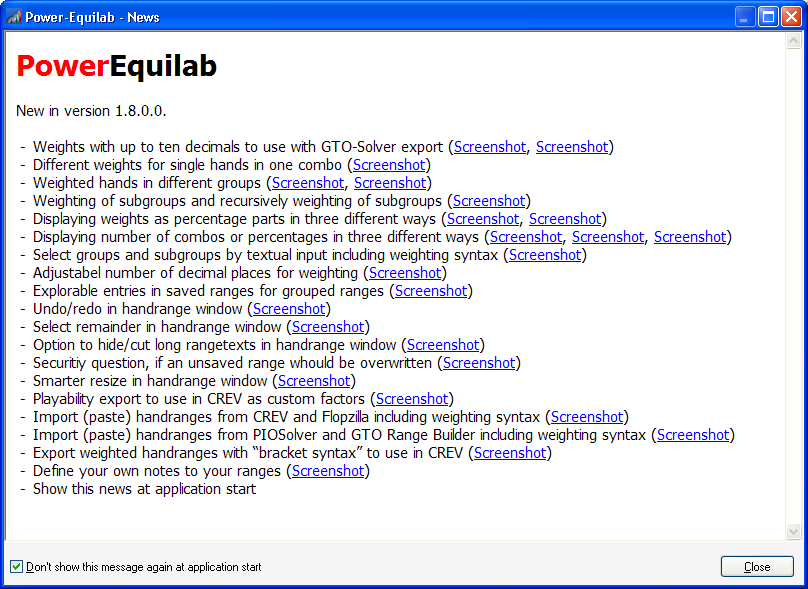
the waiting has an end ... there is a new, absolutly great update to version 1.8.0.0 out now.

Here is an overview of the news in version 1.8.0.0

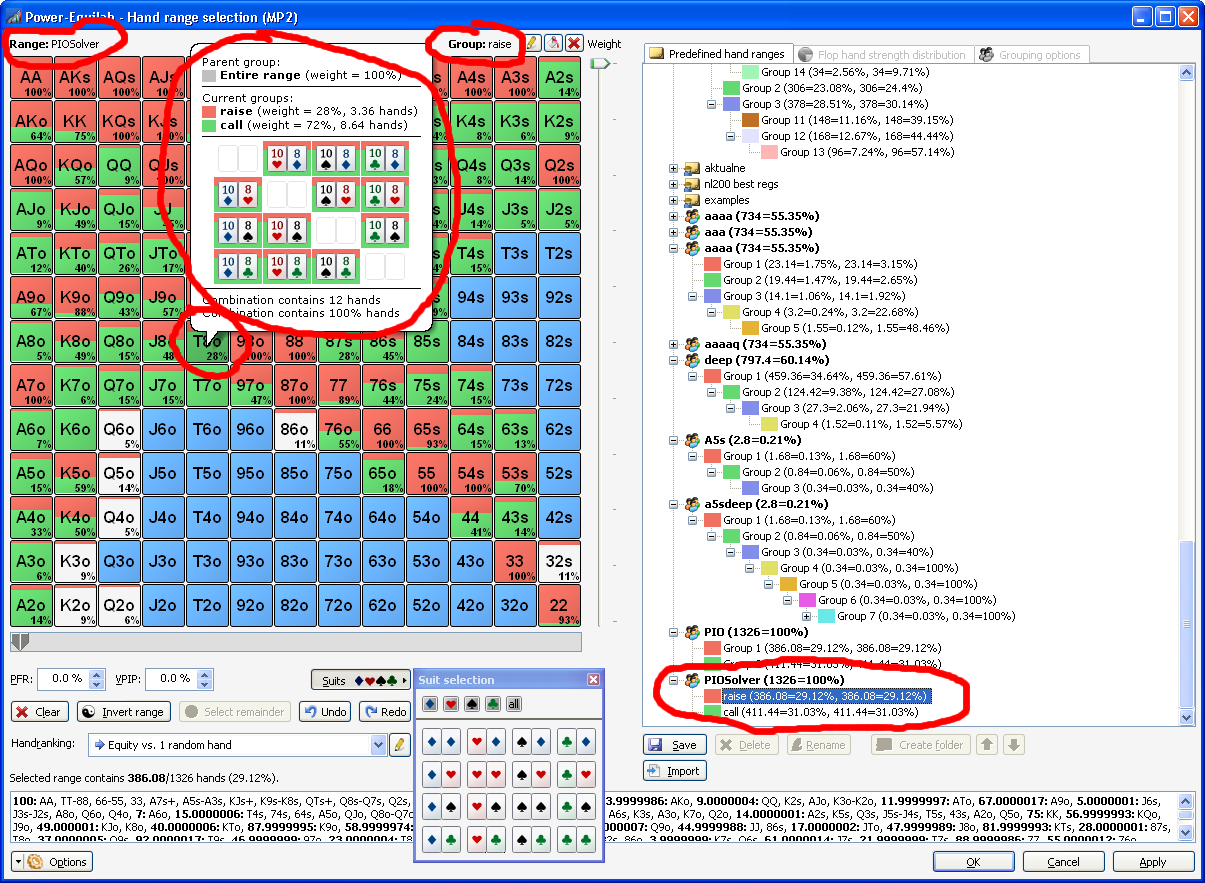
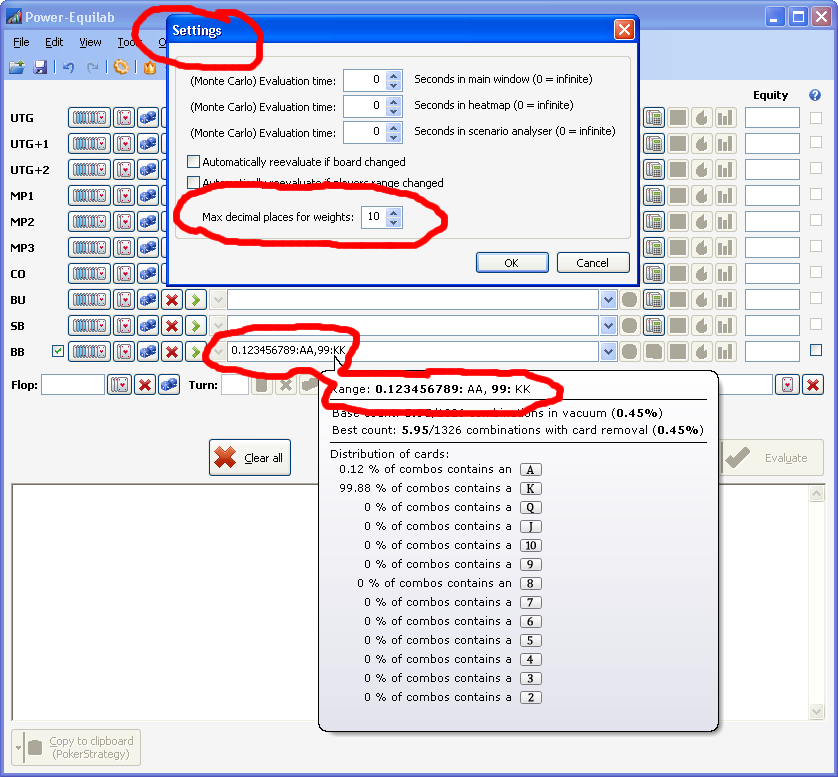
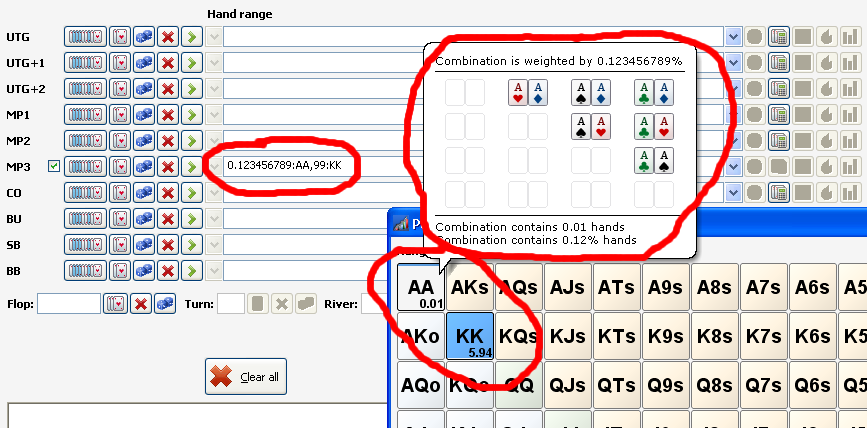
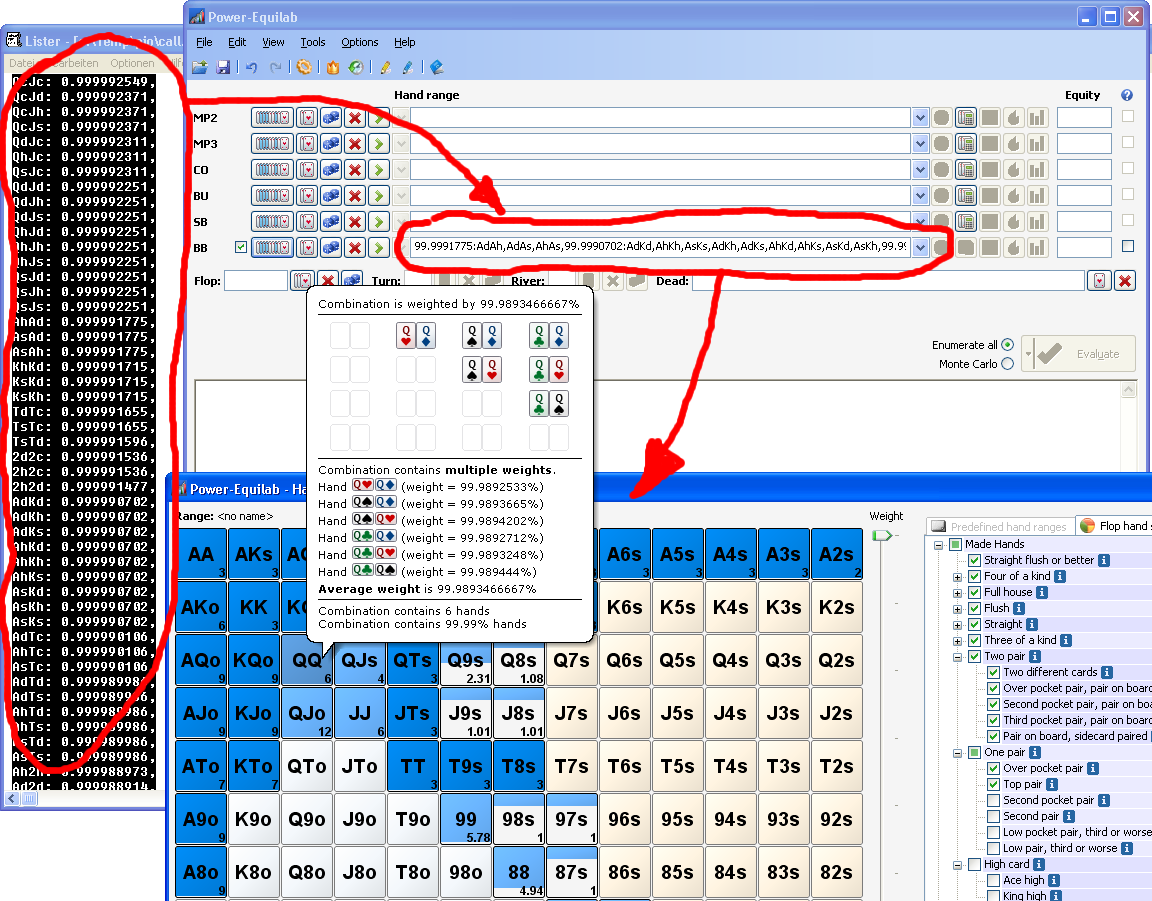
● Weights with up to ten decimals to use with GTO-Solver export:
Use the weighting syntax to define weights with up to ten decimals. Import weighted ranges with decimals from GTO applications (PIOSolver, GTO Range Builder etc.).

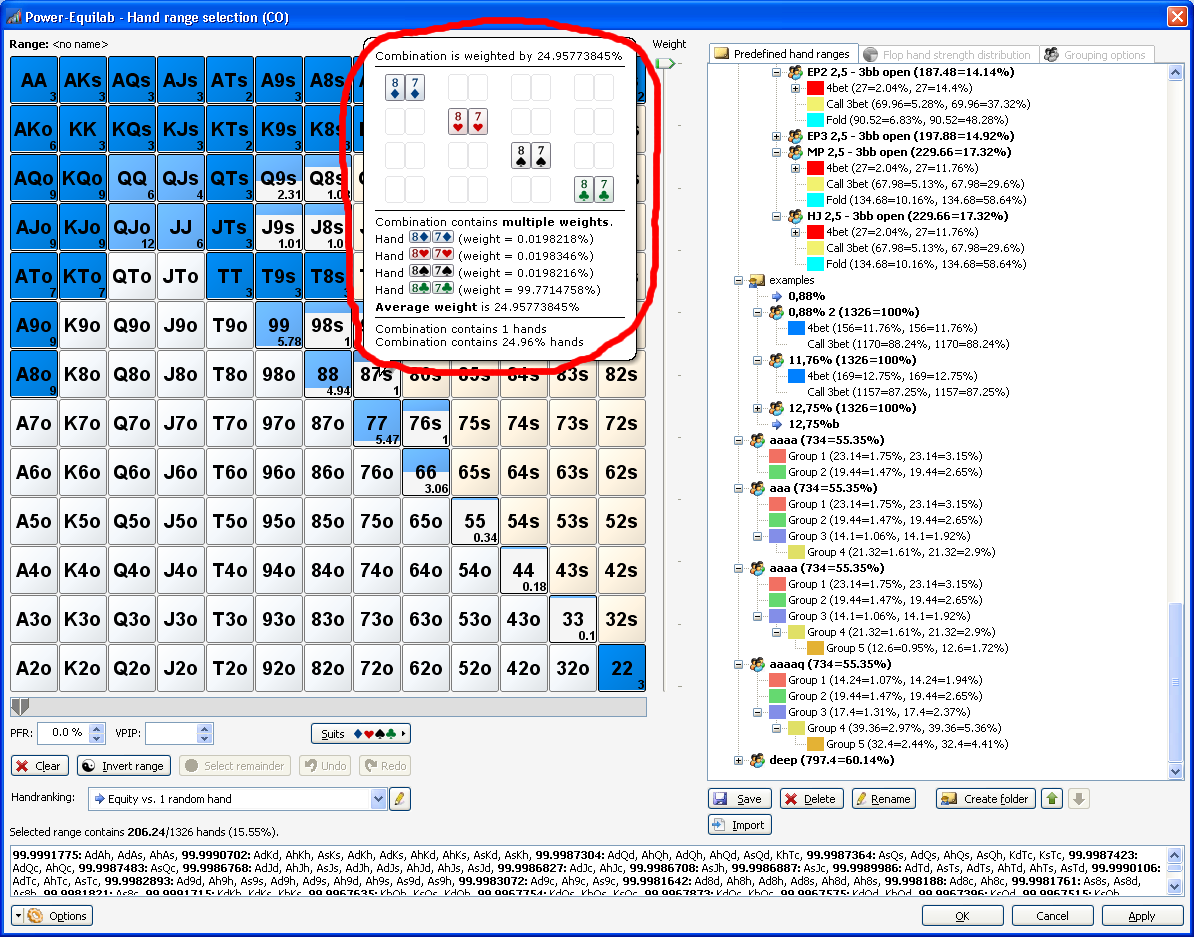
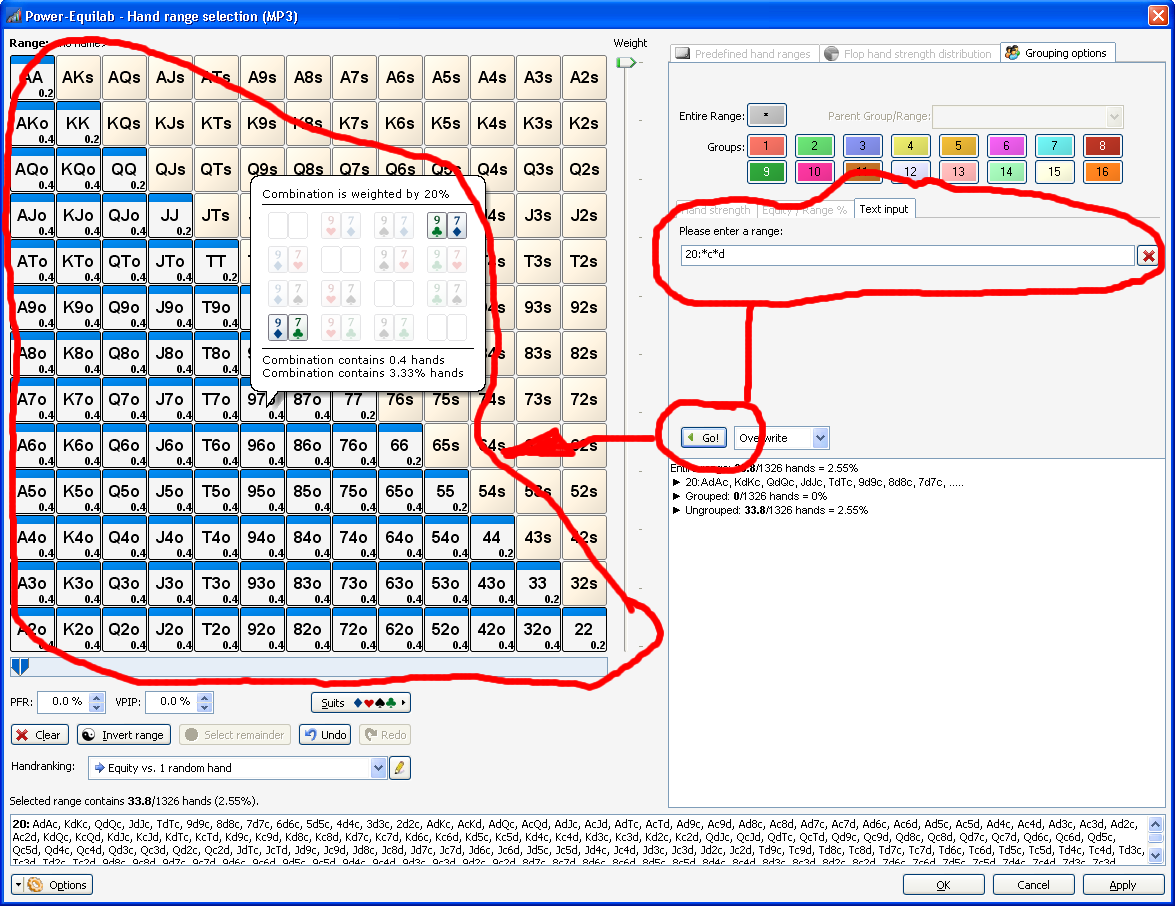
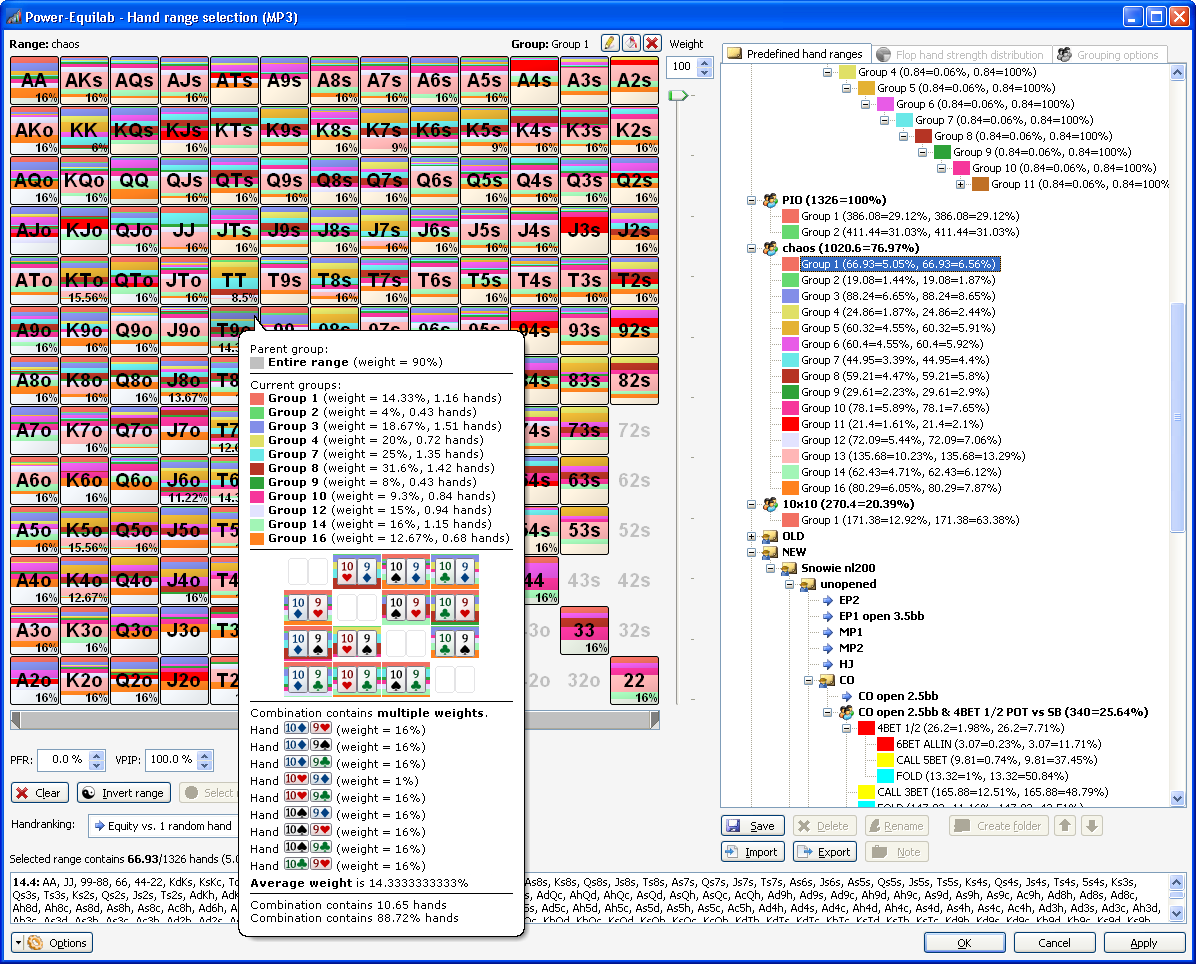
● Different weights for single hands in one combo.
Single hands in one combo can be weighted with different values. The colorized part in the matrix shows the average weight in this combo.

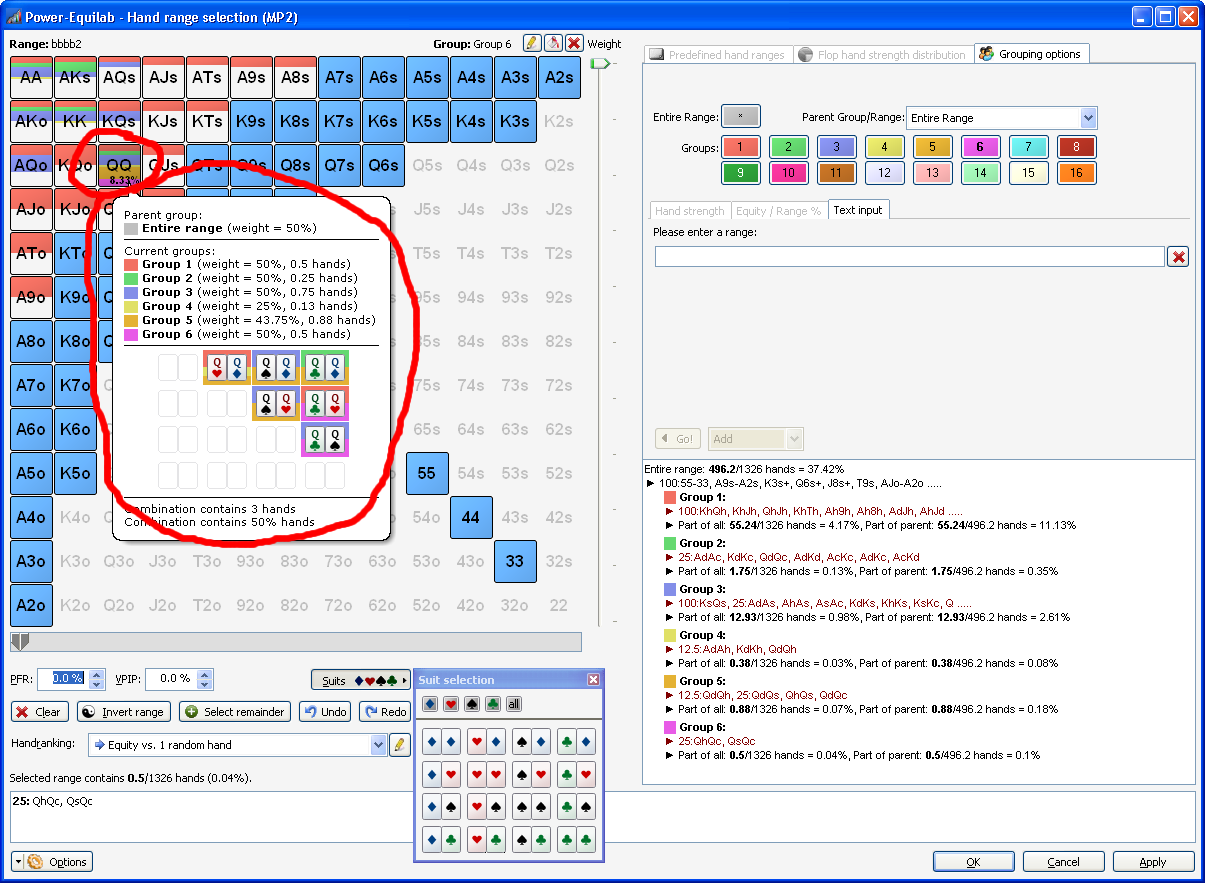
● Weighted hands in different groups
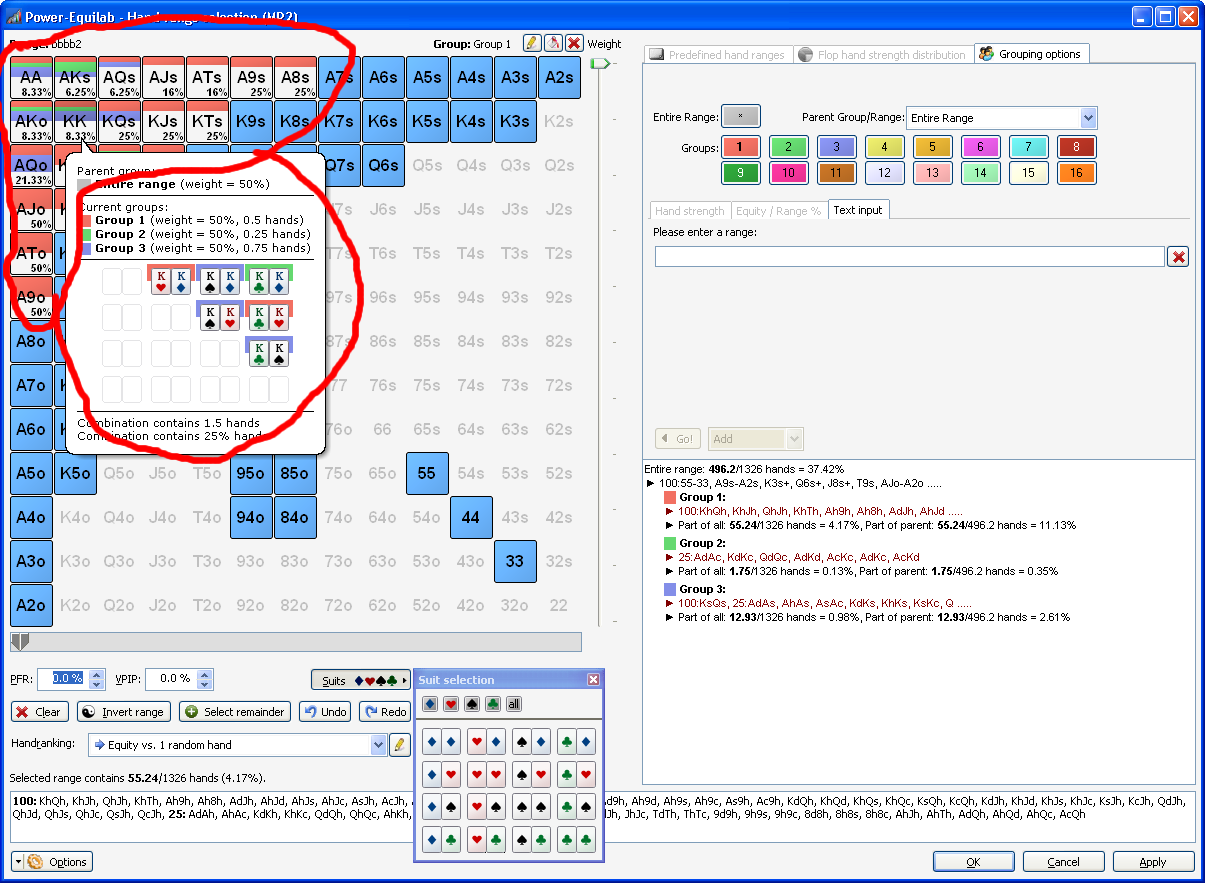
You can distribute the 100% weight of one hand to different groups. For example you can put 28% of a hand into one group and the remaining 72% into an other group. Of course it works with up to 16 groups. The weighted parts are colorized accordingly to his weight in the bubbletips.

● Weighting of subgroups and recursively weighting of subgroups
Now, you can weight hands or combos in subgroups. This works recursively up to 16 levels. You define the weight of a subgroup relative to his parent (100%). Power-Equilab automatically calculates the corresponding multiplied recursively weight.

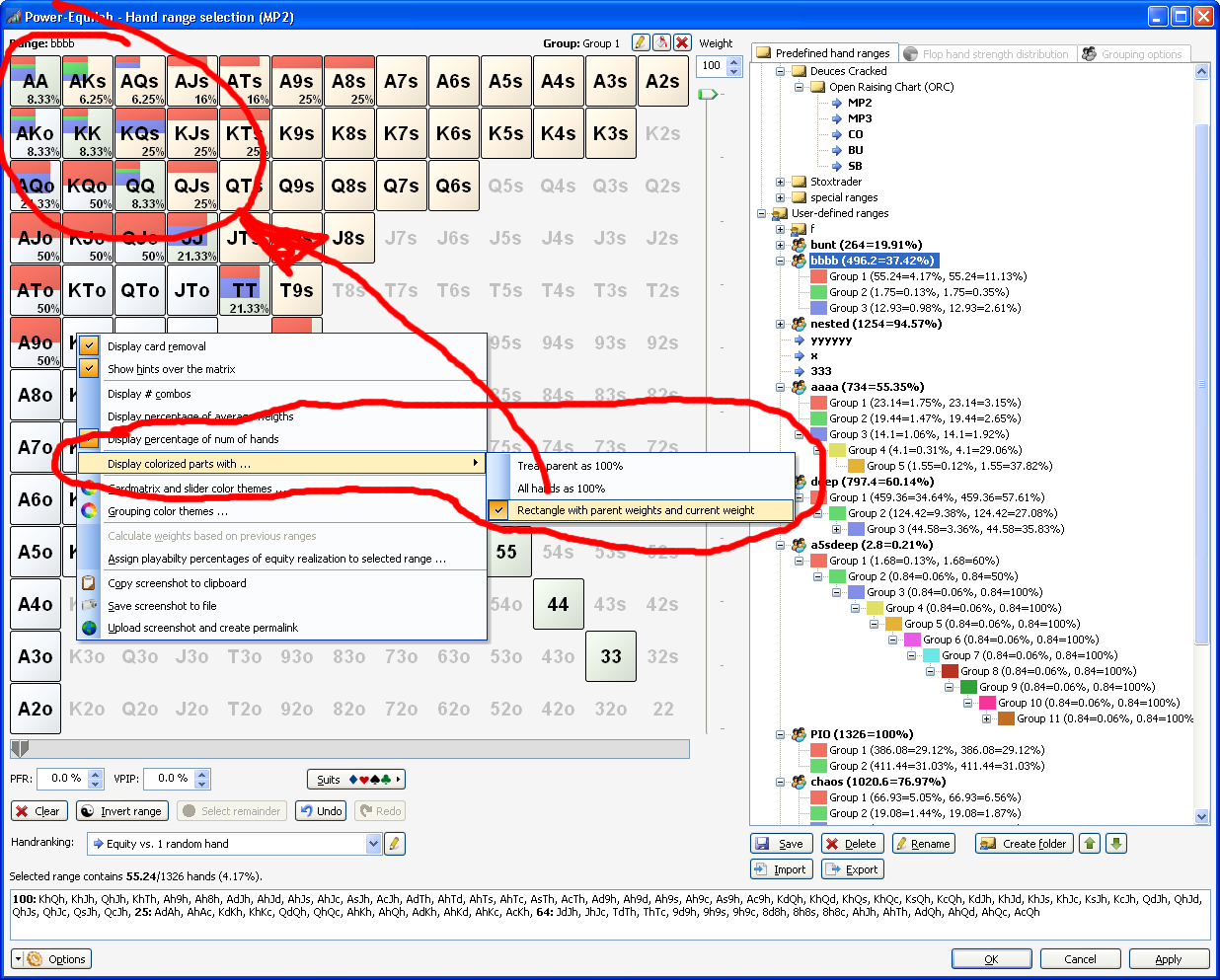
● Displaying weights as percentage parts in three different ways.
You have three options to display the weighted groups in the matrix.
- "Treat parent as 100%": The weight of the groups will be displayed relative to his parent.
- "Treat all hands as 100%": The weight will be displayed absolute to all possible hands in this combo.
- "Rectangle with parent weights and current weight": The recursively weight of all parents are displayed in width, the weight of the affected hands are displayed in height.

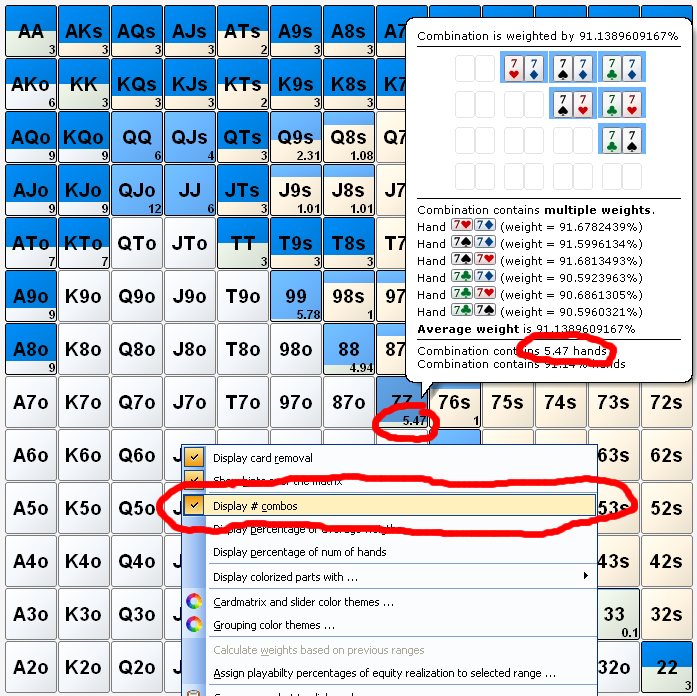
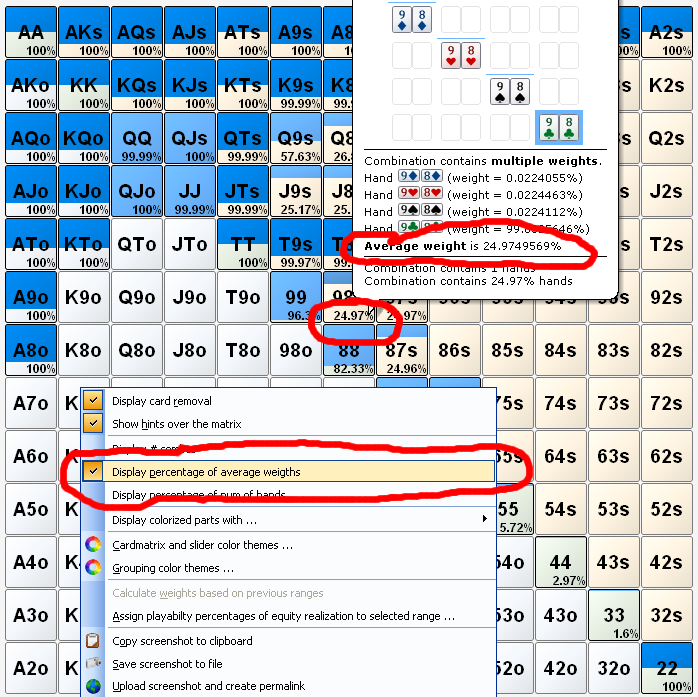
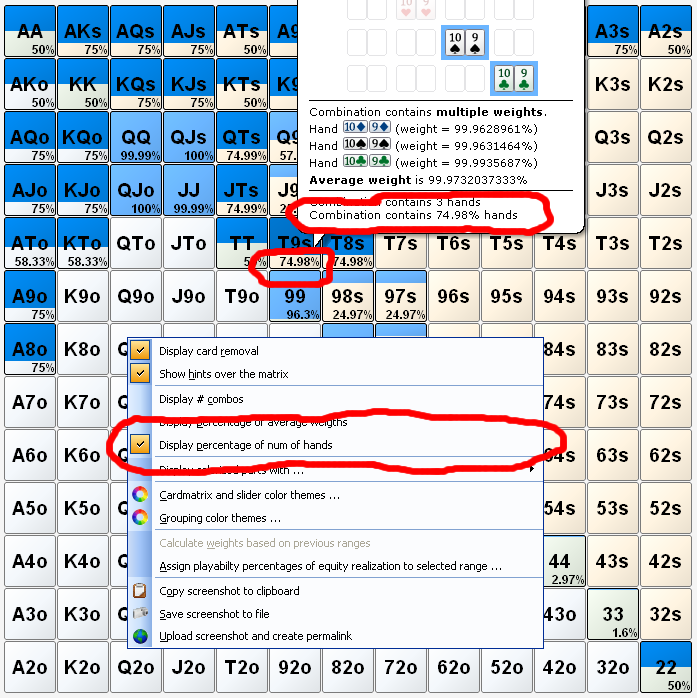
● Displaying number of combos or percentages in three different ways
You have three options to display the number of combos or percentages in the matrix.
- Number of combinations:

- Percentage of average weights:

- Percentage of num of hands:

● Select groups and subgroups by textual input including weighting syntax

● Adjustabel number of decimal places for weighting

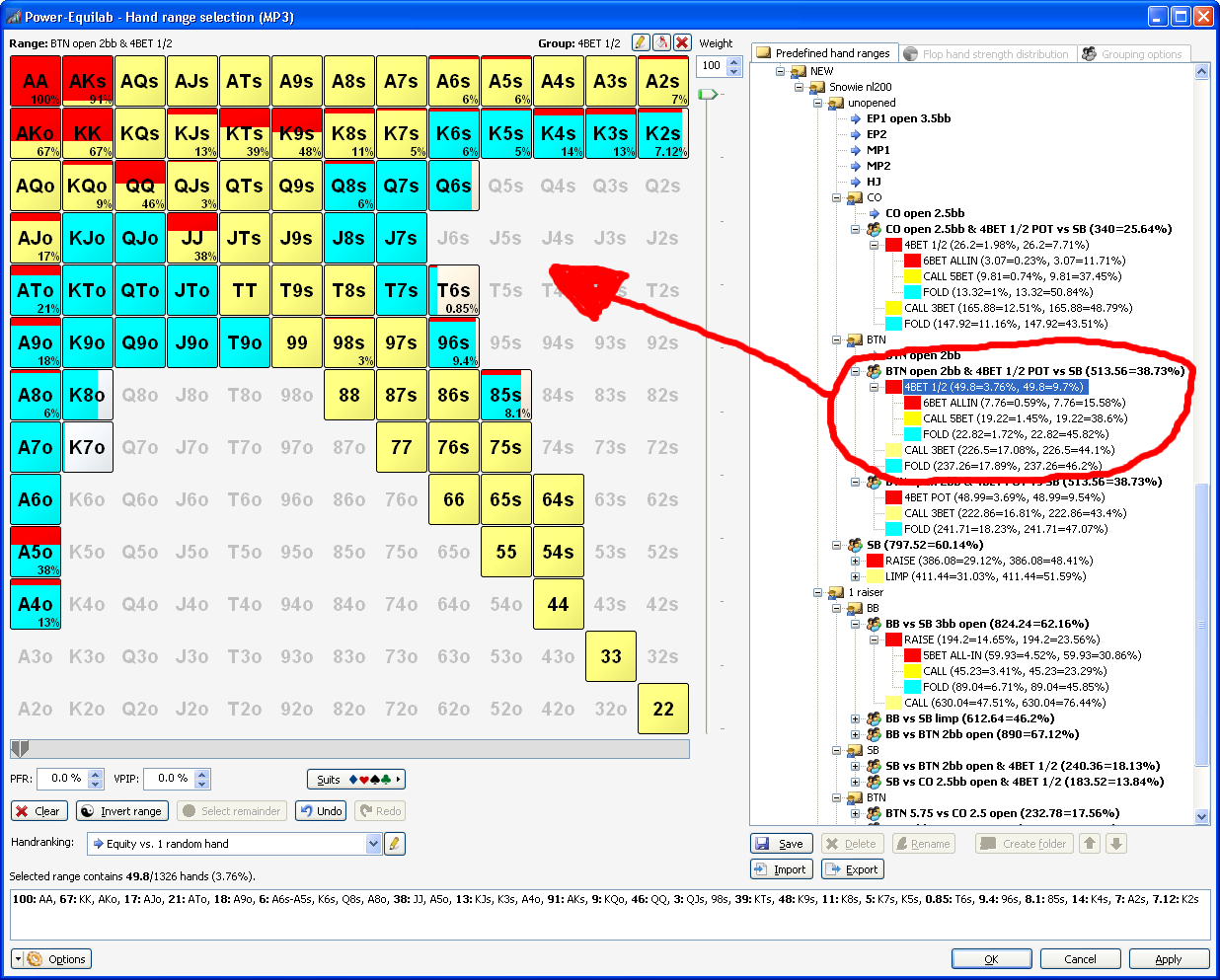
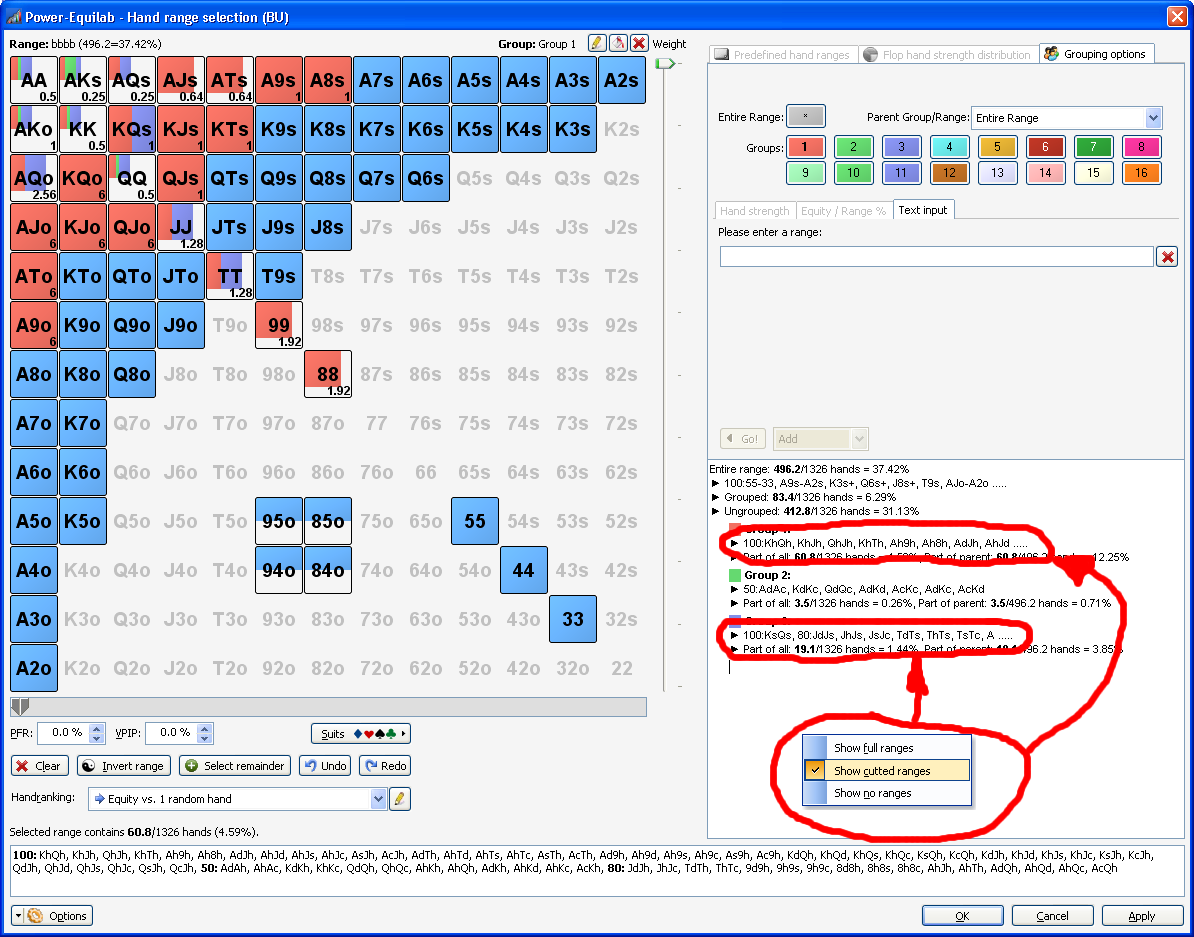
● Explorable entries in saved ranges for grouped ranges
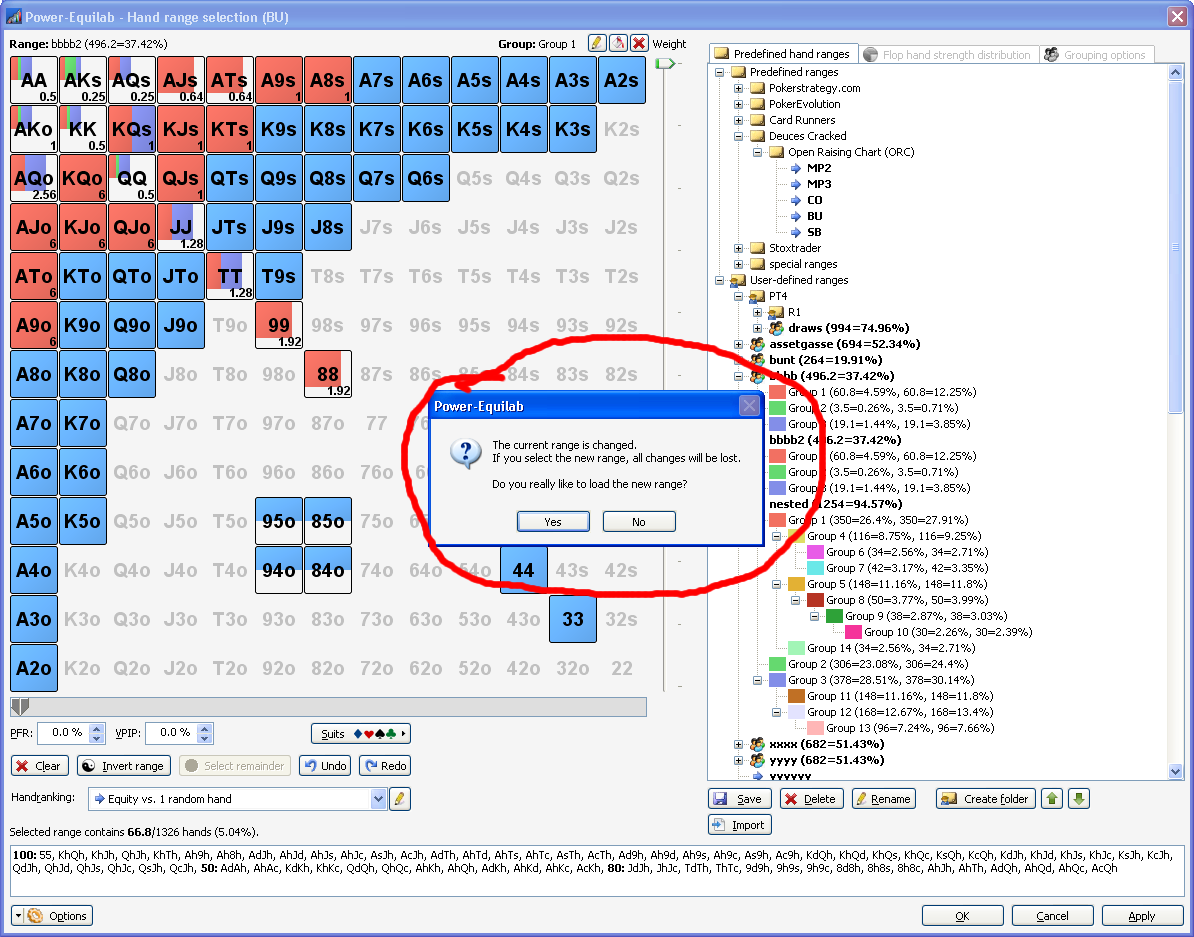
Grouped ranges are now explorable in the list of your saved ranges. Now you have a perfect overview of your ranges and you can easily select the required subgroup.

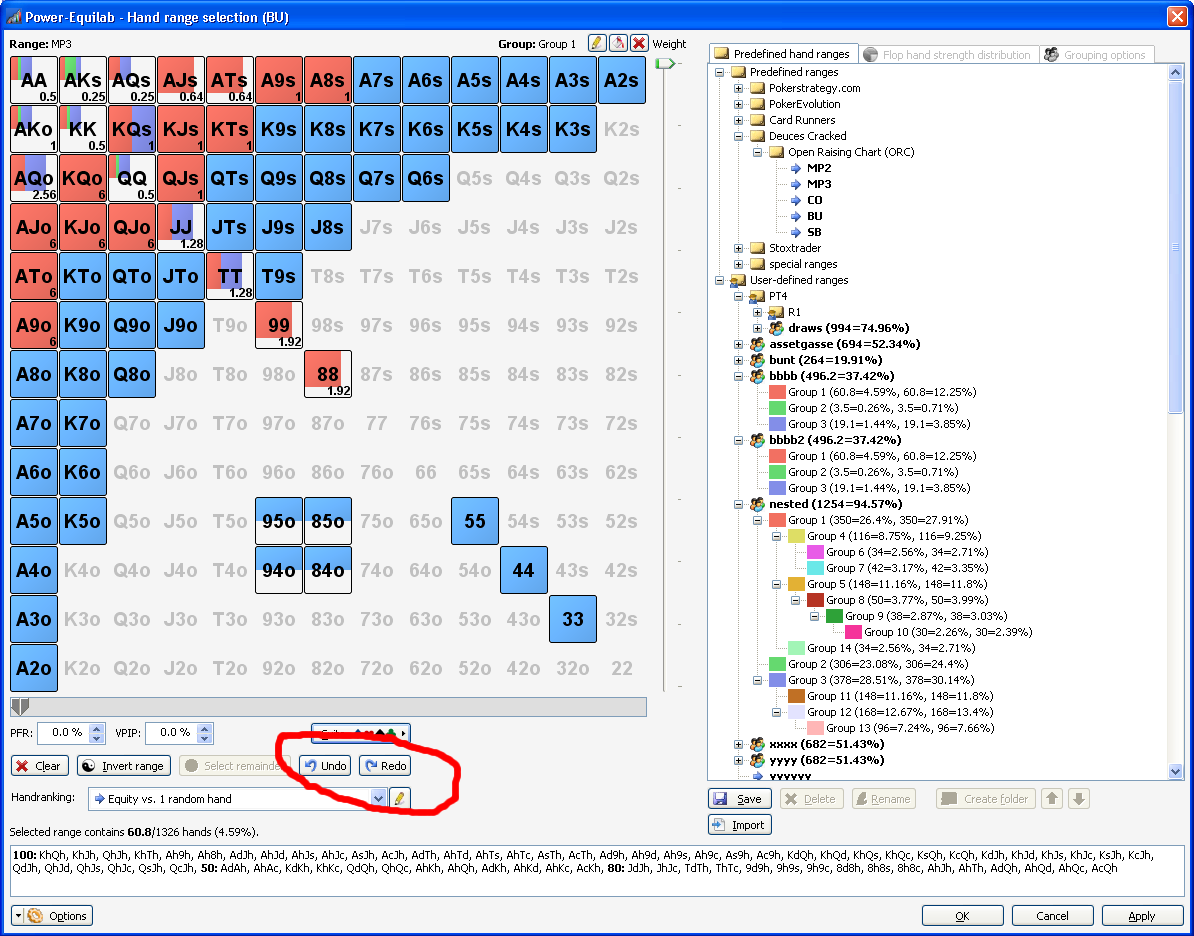
● Undo/redo in handrange window
Full Undo/Redo functionality to correct wrong input

● Select remainder in handrange window
"Select Remainder" button to select the remaining unselected parts of all combo to the current group.

● Option to hide/cut long rangetexts in handrange window
Option to hide / cut long range texts in the hierarchical display to increase the readability.

● Securitiy question, if an unsaved range whould be overwritten

● Smarter resize in handrange window

● Playability export to use in CREV as custom factors

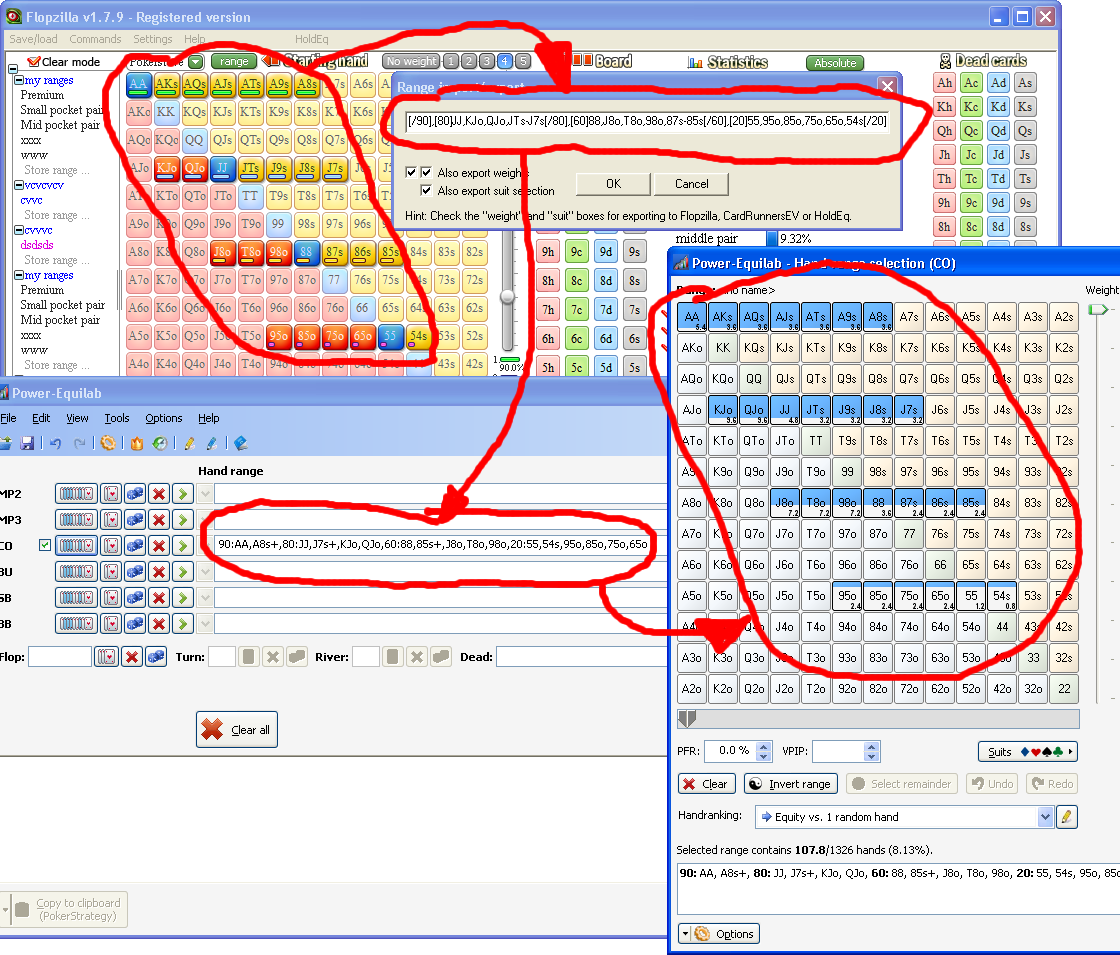
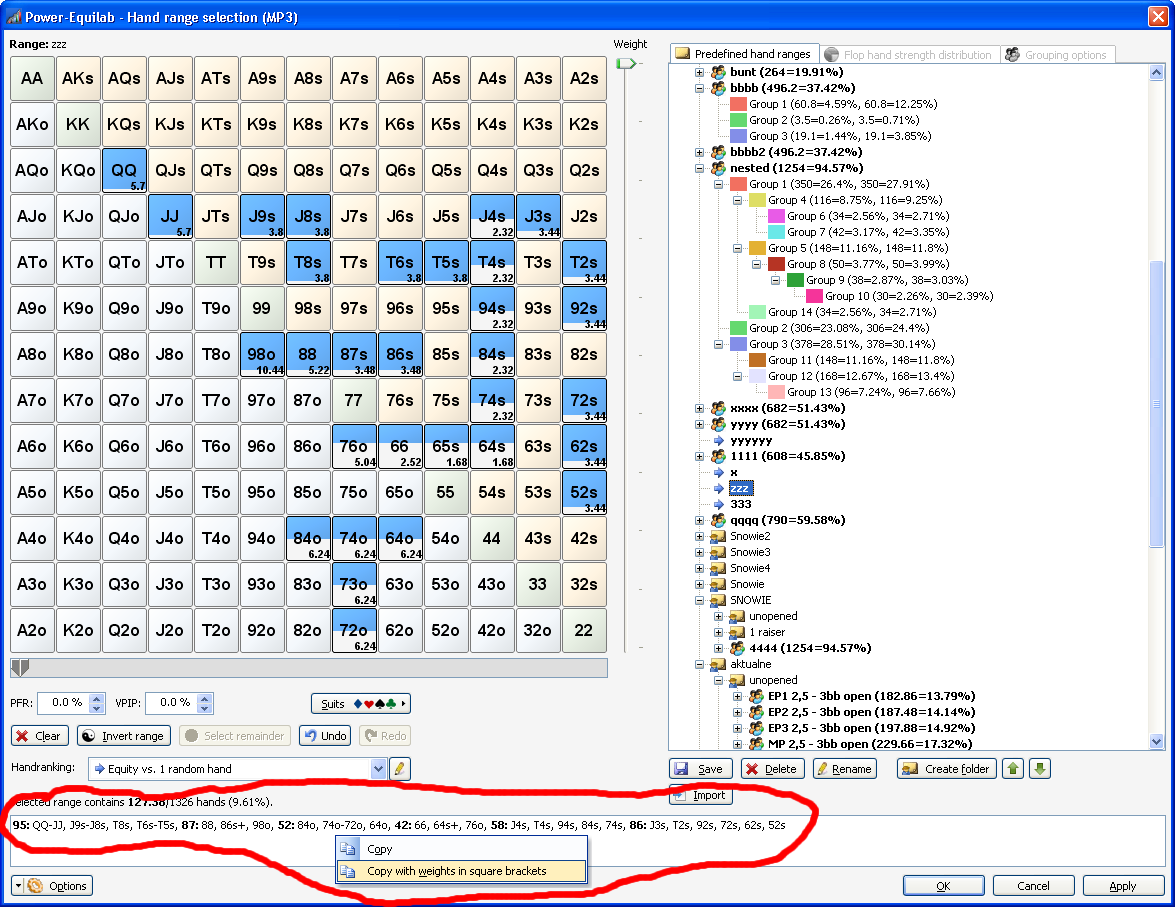
● Import (paste) handranges from CREV and Flopzilla including weighting syntax

● Import (paste) handranges from PIOSolver and GTO Range Builder including weighting syntax

● Export weighted handranges with “bracket syntax” to use in CREV

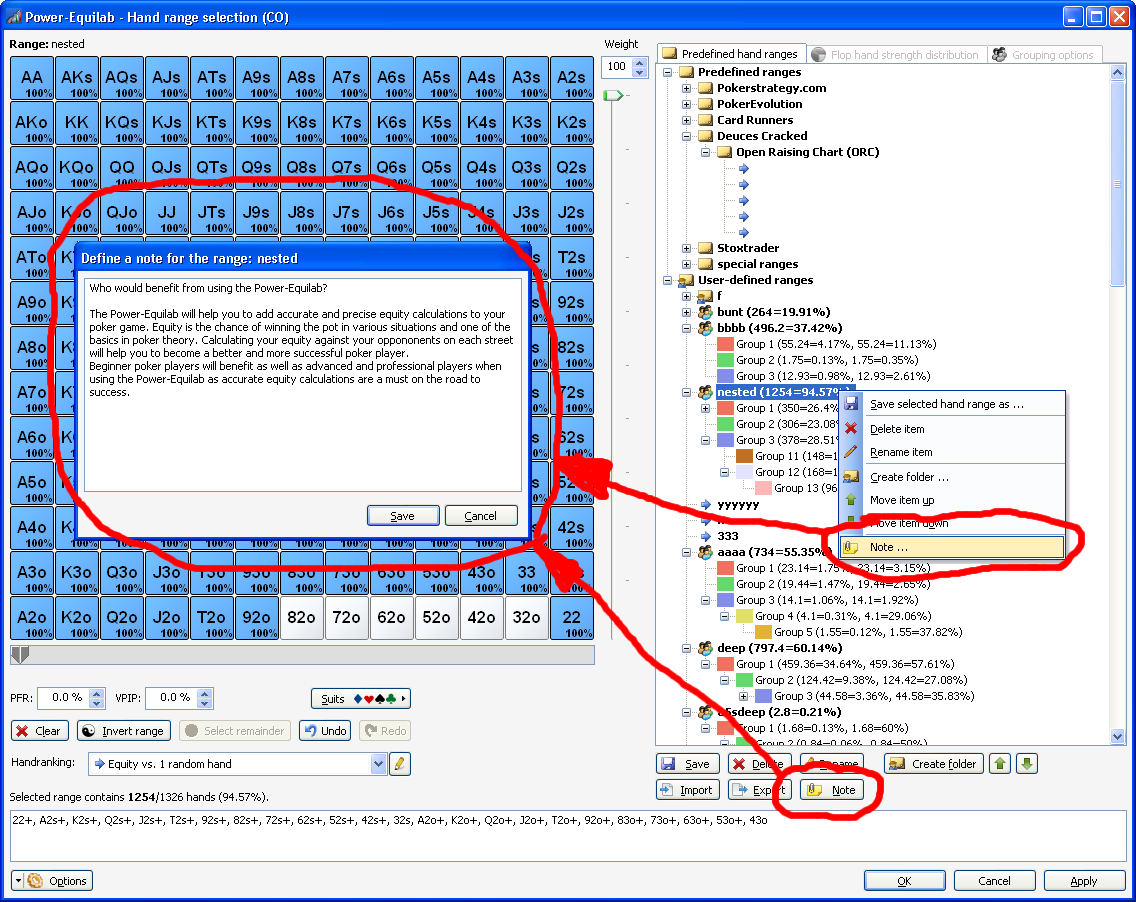
● Define your own notes to your ranges

● Show some news at application start

● Here is an overview of all features.
● Here you can download the latest version (and older).

We hope you enjoy this update. Feel free to ask any questions or send an mail to support@power-equilab.com

best regards, nopi

... and if you like ...

Spoiler

... putting all together into mess ...


Reply
Quote
nopi
Joined: 18.08.2006

Hello,

and here, for those who are interested, you can find a brief overview over the functionality of the currently mostly used equity-calculation- and analysing-programs: Overview
Feel free to judge for your own, which is the most usefull application for you.

best regards, nopi


Reply
Quote
PrawdziwyElBandito
Joined: 01.05.2007

Wow, so many "+" in first column. Now Poker Ranger is far far behind.


Reply
Quote
HHHuBi
Joined: 12.12.2013

maybe powerequilab have a lot of functions, but if I want work with ranges(with probably most of people do) (other functions you/I am dont use often), I rather use combonator (I want only say, functions isnt all, its also about GUI and how quickly you can work with it) (but I dont hate equilab, it should be something like advice/tip/hint)


Reply
Quote

I'm not sure if anyone can help me here but i have a problem with using the free quilab. I have been using it for about a year and randomly today stopped working. I restarted my computer, deleted in then re-downloaded it a few times and still having the same problem.

Whats happening is the main screen pops up fine but then when i go to click on mp2 or whatever to access my ranges, nothing comes up. (it does in the task bar when i hover over it at the bottom) just not on my main screen. its so weird. cant figure it out.

Any help would be much appreciated

Dave


Reply
Quote

Never mind, Im an idiot.


Reply
Quote

Tried to buy outright via PayPal but phone, name and address turned out to be mandatory fields.

Why the necessity?

Rather misses the point of using PayPal.


Reply
Quote
nbcommunist
Joined: 17.03.2011

Hi all! Sorry for my english :f_biggrin:

What is column Scoops in Omaha hi\lo equillab? Example:

Board: Q♥8♠2♠
      Equity  Scoops  Wins Hi  Ties Hi  Wins Lo  Ties Lo
CO    69.88%  28.16%   78.43%    4.20%    0.00%   28.00% { 3dAs3s2c }
SB    30.12%   3.25%   13.17%    4.20%   13.17%   28.00% { A234 }


Reply
Quote
nopi
Joined: 18.08.2006

Originally posted by brinan
Tried to buy outright via PayPal but phone, name and address turned out to be mandatory fields.

Why the necessity?

Rather misses the point of using PayPal.

Hi brinan,

the only important fields are email and machine-code.
In every other field you can type what you want :)

best regards, nopi

Reply
Quote
nopi
Joined: 18.08.2006

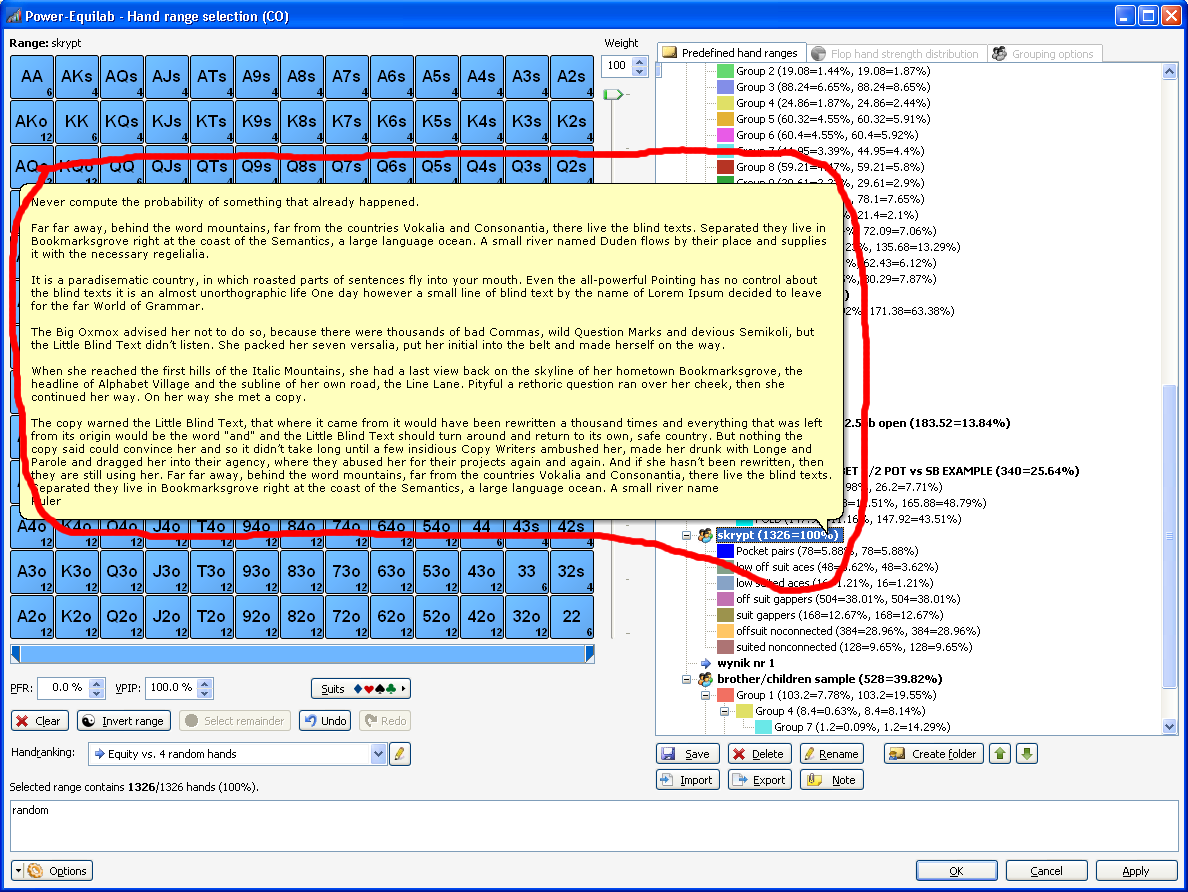
A small addition ... saved notes for the ranges will be displayed as a tooltip.

best regards, nopi

Reply
Quote

Originally posted by nopi
[...] the only important fields are email and machine-code.
In every other field you can type what you want :) [...]

Now why didn't I think of that... wonder if I'm suited to poker ?(


Reply
Quote

Bug v1.8.2.0

Empty Export File

1 Tools > Playability editor
2 Export
3 Open saved file


Reply
Quote
nopi
Joined: 18.08.2006

You're right.
It seems that this only appears when no userdefined profiles are created and you want to export one the of predefined profiles.As a workaround please save an existing profile and export this copy.

In the next update, this issue will be fixed.

best regards, nopi
Originally posted by brinan
Bug v1.8.2.0

Empty Export File

1 Tools > Playability editor
2 Export
3 Open saved file


Reply
Quote

Bug v1.8.2.0

No Ranges in tef File

Example
File:
[22+,A2s+...] vs. [JJ-55,AQ...].tef

Contents:
Player0=
Player1=
Player2=
Player3=
Player4=
Player5=
Player6=
Player7=
Player8=
Player9=
Flop=
Turn=
River=
Dead=


Reply
Quote
nopi
Joined: 18.08.2006

Please check out the newest version 1.8.3.0 :)

best regards, nopi

Reply
Quote
nopi
Joined: 18.08.2006

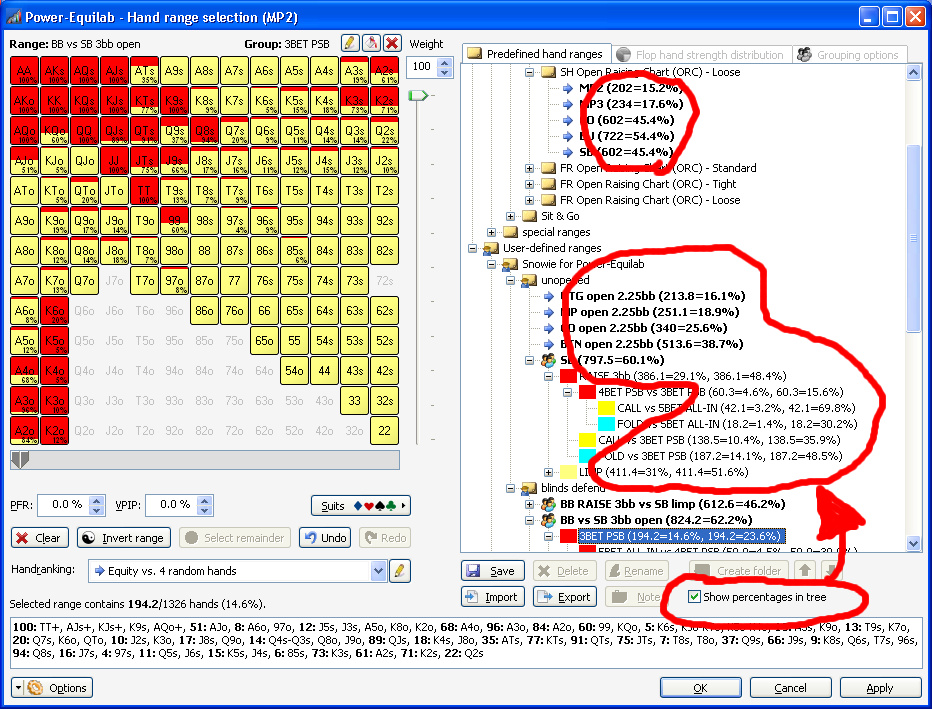
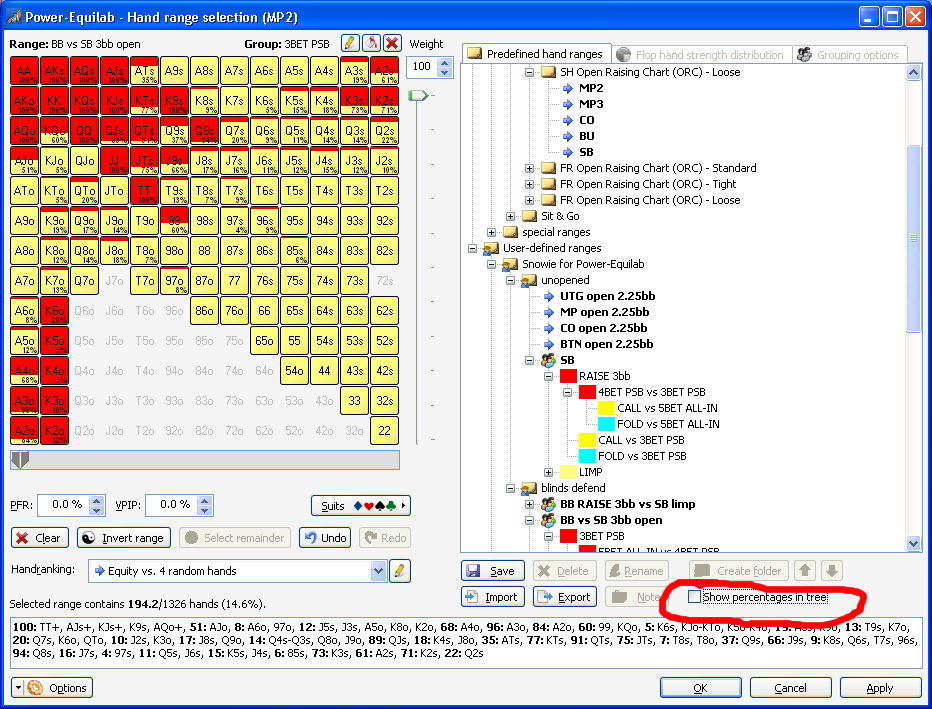
A litte update to version 1.8.4.0 ist out now.

Now, you can choose if the percentages of the ranges are shown or not in the tree of saved ranges.

best regards, nopi

Reply
Quote
nopi
Joined: 18.08.2006

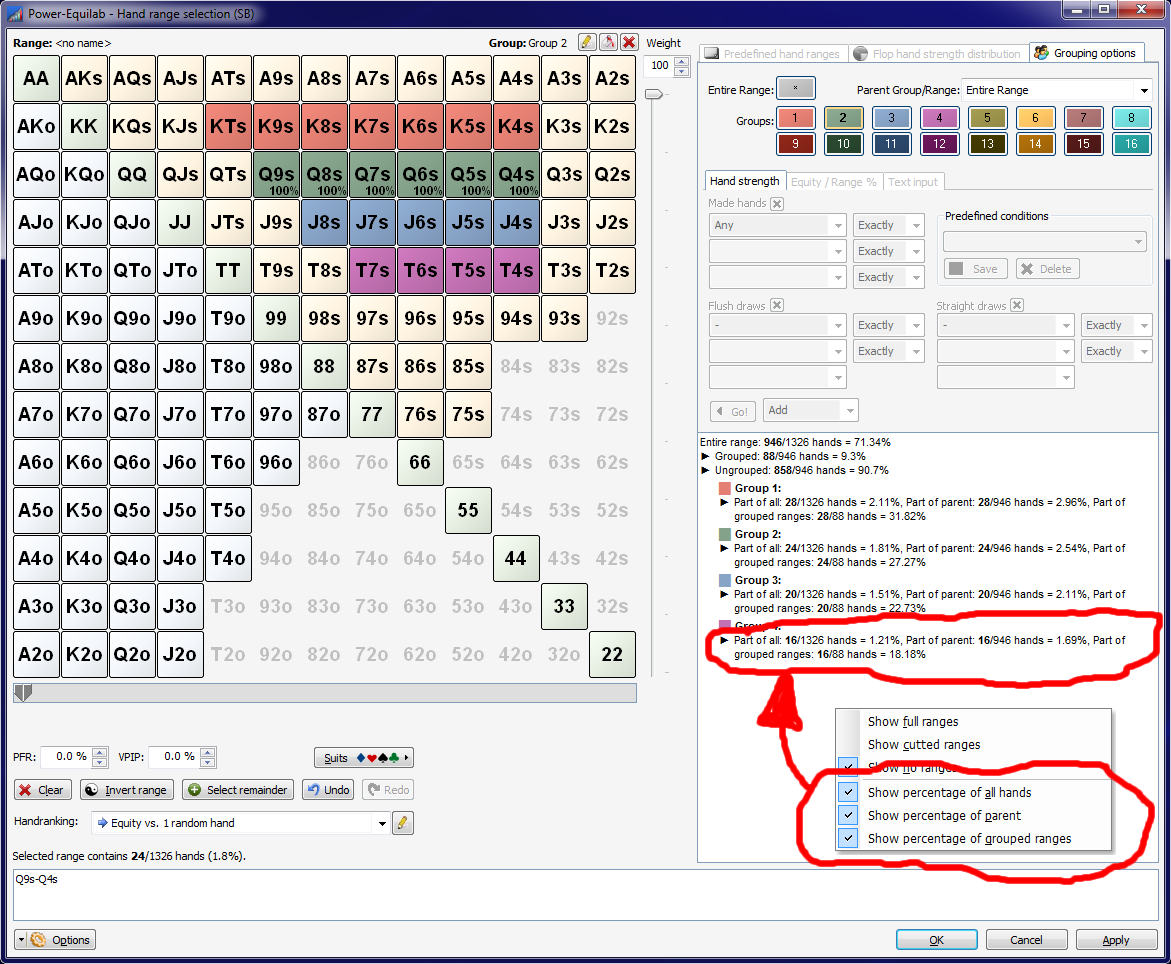
A litte update to version 1.8.8.0 is out now.

On a user's request, there is now the possibility in the hierarchical overview of the grouped ranges to select which percentage to be displayed. There you can choose between:
- Percentage of all hands
- Percentage of the parent range
- Percentage of all grouped ranges at this level (new)

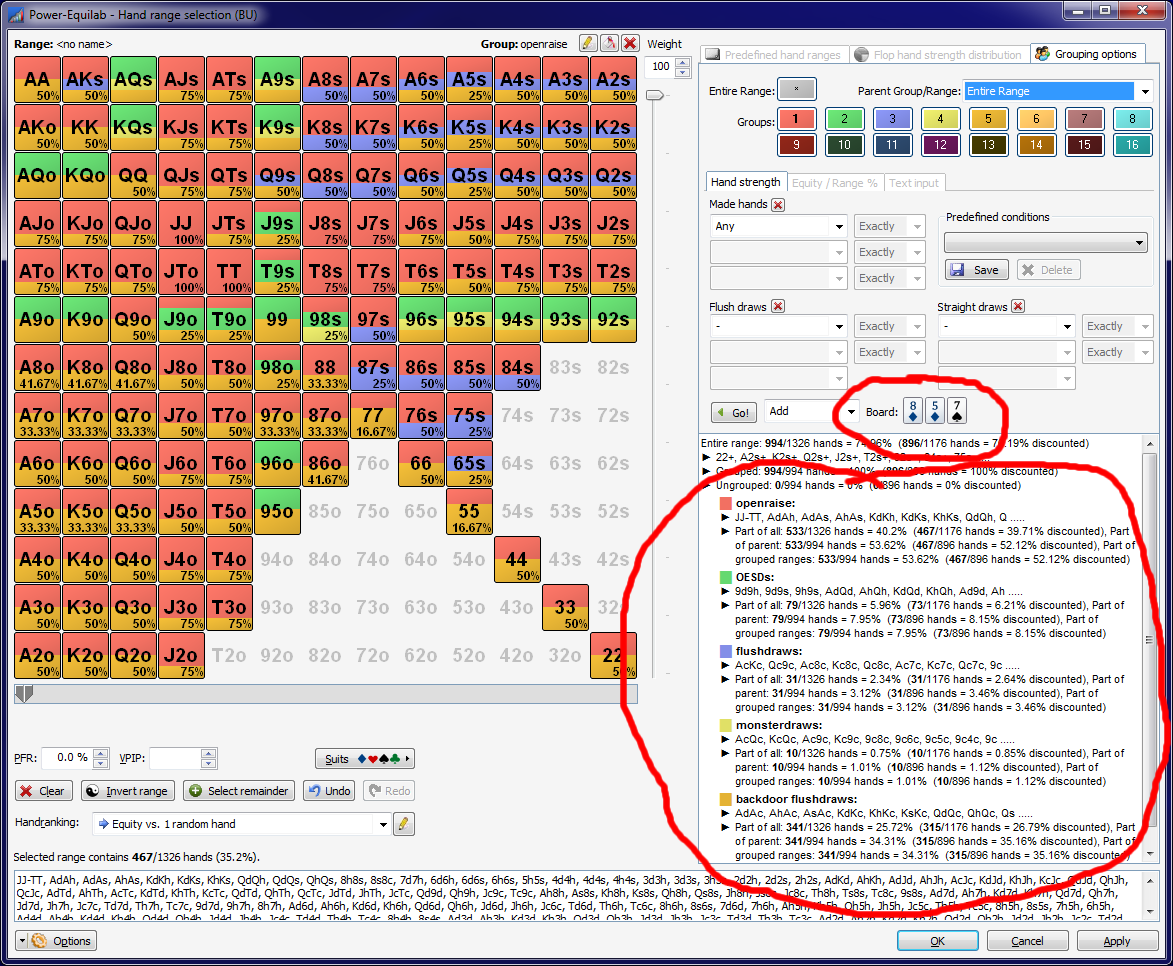
Is a board specified in the main window, so automatically the corresponding discounted parts are shown :

best regards, nopi

Reply
Quote
gruja
Joined: 11.09.2008

Sorry to kinda hijacking this topic, but i couldnt find the topic for free equilab, so hope anyone can help me in here.

Anyway, something strange happened, equilab was working ok till today, now when i click the button for hand range selection it wont show me that window, altough it exists in my taskbar, as you can see on this photo
https://gyazo.com/771e39a0c02f498f183eef413a0a29b8

I tried reinstalling equilab but nothing has changed. Any hint, please, because i have a lot of saved ranges in there (i saved my file from local directory folder so i didnt lost them while uninstalling software) :(


Reply
Quote
nopi
Joined: 18.08.2006

A litte update to version 1.8.8.9 is out now.

- Maximized windows will be openend on the correct monitor.

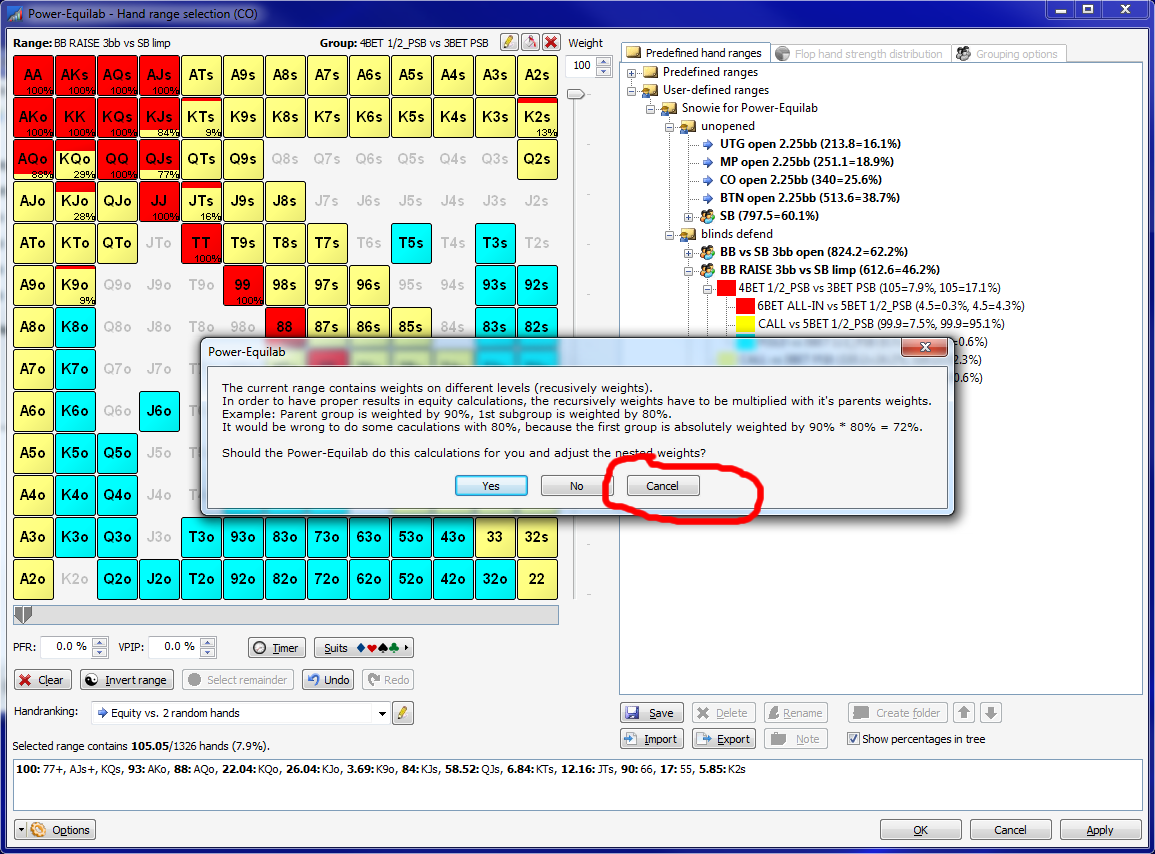
- The message box to ask if recusively weights should be multiplied, now has a cancel button.

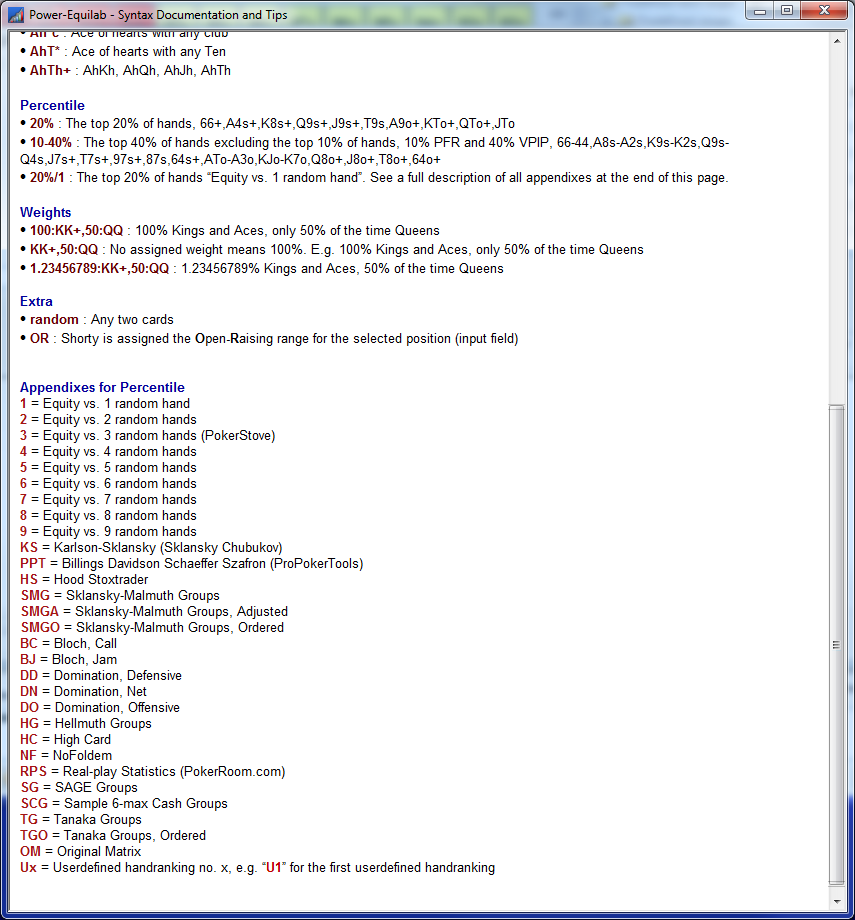
- Syntax enhancement: Now handrankings can directly selected by a syntax appendix.
F. e. "20%/1" describes the top 20% of combo based on the handranking "Equity vs. 1 random hand" and "20%/2" describes the top 20% of combo based on the handranking "Equity vs. 2 random hand" etc.
You can find a full description under [Help/Syntax documentation].

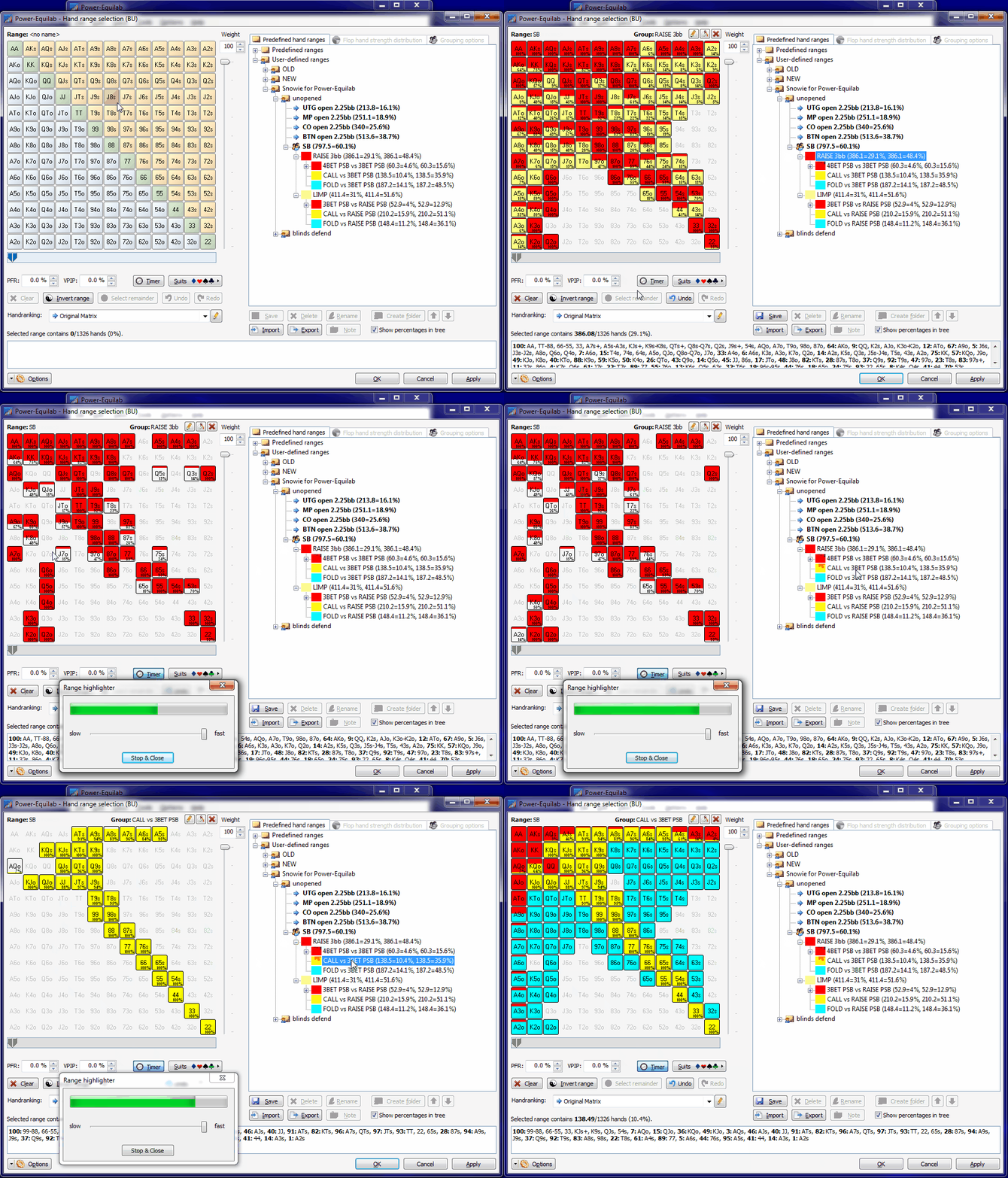
- Timer function in handrange window to highlight weighted combos.
If you like to play a mixed strategy, so f. e. you only like to raise 50% of your aces, now you have a great helper.
After a userdefinable time the timer take a random number between 0 and 100 and highligts the according weighted combos.
This is for the players.

If you like to use multiple range simultanously, just start multiple instances of the Power-Equilab.

We wish you a healthy and best possible start into the new year :)

best regards, nopi


Reply
Quote