


Christmas Gift from PokerStrategy.com: New Video Section
Today we bring you something different. To join in the Christmas spirit, we present you with a special gift. Say hello to our redesigned Video section!
We have been working a lot on this project and later today we will present you with a major update which will help to make your stay here way more entertaining, interesting and easier. Our video section went through a big revamp the last months and is about to be ready!
New video search engine
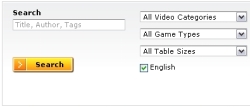
The newly improved search engine allows you to find videos which match your needs. Typing "Hasenbraten", for example, will immediately show you all the videos created by this producer. Likewise, searching for things like "full ring" or "PokerStars" will display videos with such tags.
There are more ways you can refine your search. You can choose what game type, table format or video type to display. Also, for non-English native speakers, you have the option to include English videos in your search query.
Find the right video for your level

But what if you would like videos that only address your current rank? We thought of that as well: you can now select which limits you want to be displayed, no matter the game type.
If you don't want to select a specific limit, but you would rather see the videos available for your current rank, no problem! Simply check whichever status is appropriate for you and the search engine will reveal them.
Preview option now available
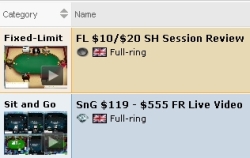
You can now get additional information about the videos before you watch them, thanks to our new preview area.
There you will be able to see how many tables our producer is playing on, where was the video played, as well as other information such as rank, table size, video length and producer.
The video overview shows you our newest strategy videos. If you found something that you liked, simply click on the preview thumbnail.
Full overview control

You can fully customize your search, but not only by your own preferences. You can now sort the videos by numbers of views, comments, ratings and more.
What do the others like? What are the most popular videos? Which videos have the highest rating? You can easily do that by arranging your videos according to these criteria.
Also, from now on you can also mark videos if you wish to keep a record of the ones you watched so far. With a simple check mark you can order your videos and eventually list only the ones you haven't watched yet.
But wait, there's more!
 There are many ways in which you can personalize your searches and this is what we had in mind when we redesigned the new video section.
What if you would like to use the same search filter whenever you want to find a specific video? You can now save your search criteria and use it for next time - you can save up to 5 of these search filters and you can manage them the way you want to.
Did your search turn out many results? No problem. You can choose how many results you would like to have displayed per page. You can also navigate through results pages by either clicking "Next page" or simply going to a specific page number.
In a matter of hours you will be able to try our new video section, so stay tuned!
