


New Equilab Version: Resizable Windows, Equilations Log and More
In case you missed it, PokerStrategy.com Equilab has a new software version which is available for download. In this new version, you will be able to resize the windows, see your previous equity calculations in a log and much more.
What's new?

Many features were implemented in this latest version and many bugs were also fixed. Let's have a look at what was changed:
- Resizeable windows. PokerStrategy.com Equilab main window can now be resized. Additionally, you can maximize and reset it to the default size.
- Equilation log. All your equity calculation are now saved and you can see them by going to Tools -> History.
- Better quality screenshots. The screenshots you take are now saved in the PNG format, resulting in a higher overall picture quality.
- Redesigned menu. The menu structure has now been changed in order to increase usability.
And more! All in all, 58 suggestions coming from you, the community, were added to the latest software version of PokerStrategy.com Equilab.
We are always looking for feedback in order to improve our equity tool, so if you would like to suggest improvements, report bugs or anything else related to PokerStrategy.com Equilab, please go to our forum section:
 Go to the PokerStrategy.com Equilab forum
 |
| PokerStrategy.com Equilab main window - now resizeable |
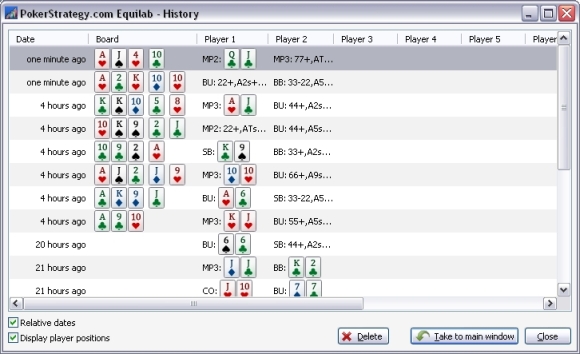 |
| PokerStrategy.com Equilab history window containing your previous equity calculations |
