Originally posted by jackaoliver
Hey VS,
PT4 settings have been fixed thanks to you, but these are the only 2 programs giving me this problem.
I understand it may be a problem on my end but really unsure of what to do..
Thanks again.
Great to hear that the PT4 suggestion did the trick...
What operating system are you using?
If Windows 10, try this:
right-click on your desktop, and choose "Display"
You will see:
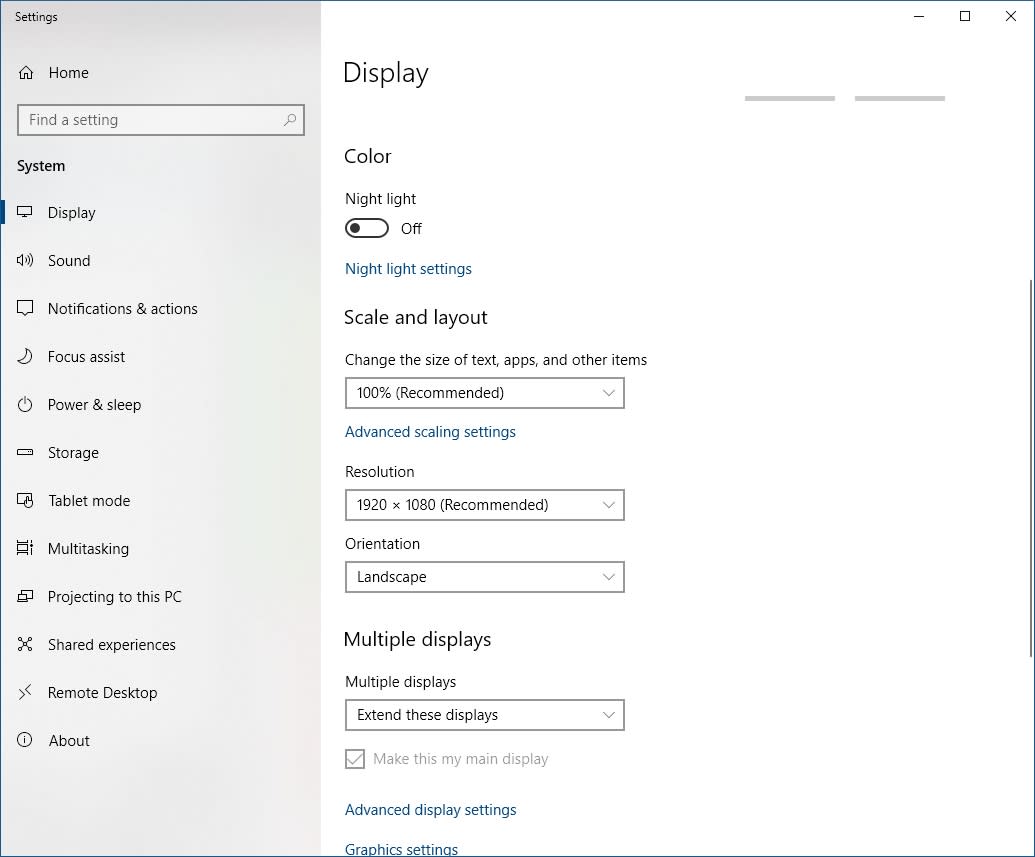
Take notes to record what is in any setting so you can change it back!
Under Scale and Layout click the "advanced scaling settings". In there is an item "Fix Scaling for apps".
Try turning that on.
Next,
Under resolution, use the dropdown to choose the one labelled "recommended" if it isn't there already.
If that doesn't help, go back to whatever resolution you had before.
If none of that helps -- or if you're using a different OS, let us know...
Cheers,
 VS
VS